
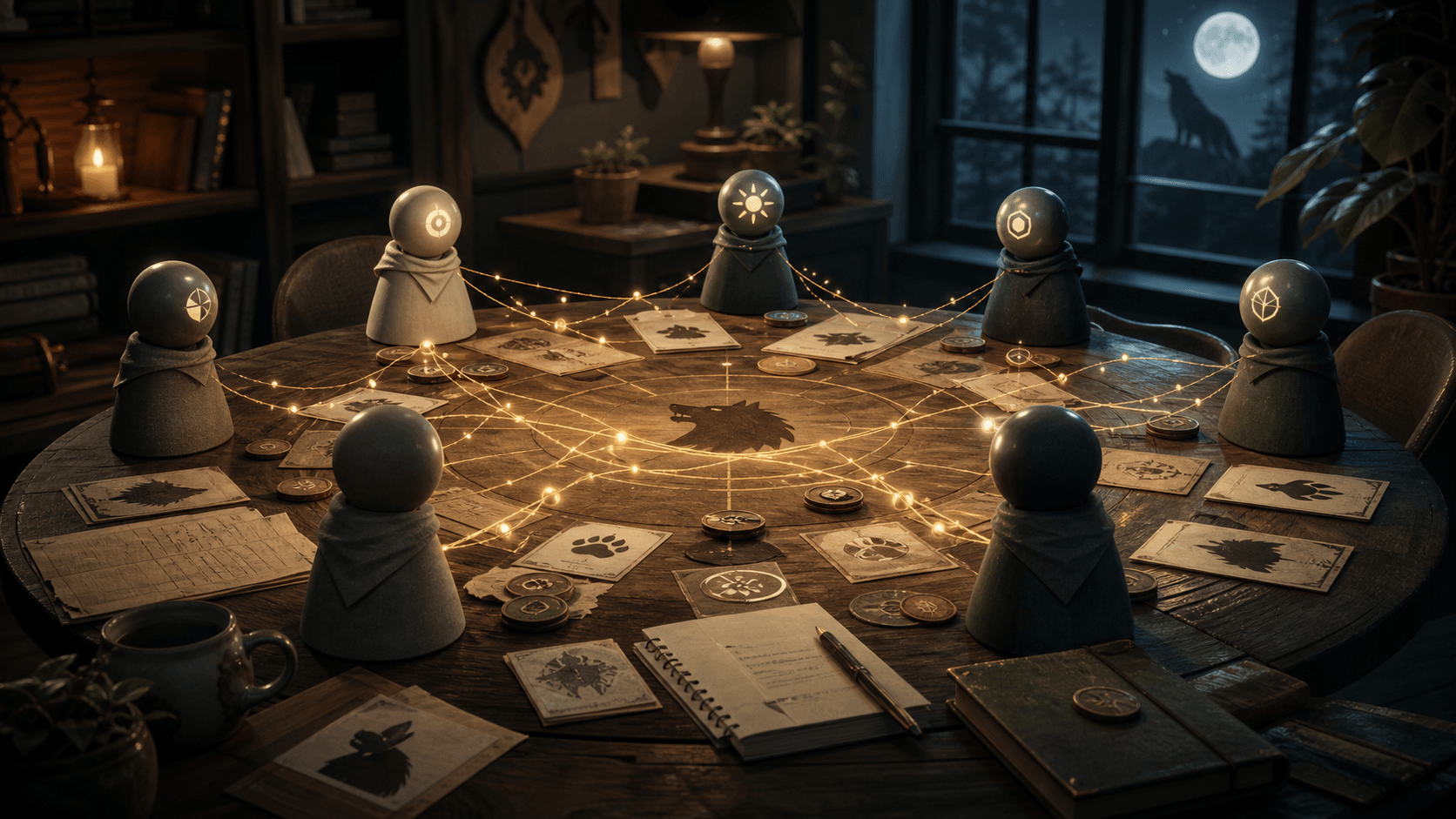
The werewolf demo is useful because it turns agent memory into something you can watch. Once VikingBot players can carry history across games, they stop acting like isolated chatbots: they remember styles, reuse incidents, hide roles with evidence, and punish old patterns.
The Experiment: Six Agents, Two Memory Conditions
The setup deliberately keeps the game small. Six VikingBot players join one werewolf table. Players 1, 2, and 3 are connected to OpenViking and keep long-term cross-game memory. Players 4, 5, and 6 only see the current game context.
| Group | Players | Memory condition |
|---|---|---|
| Experiment | VikingBot players 1, 2, and 3 | OpenViking memory, available across games |
| Control | VikingBot players 4, 5, and 6 | Only short-term context inside the current game |
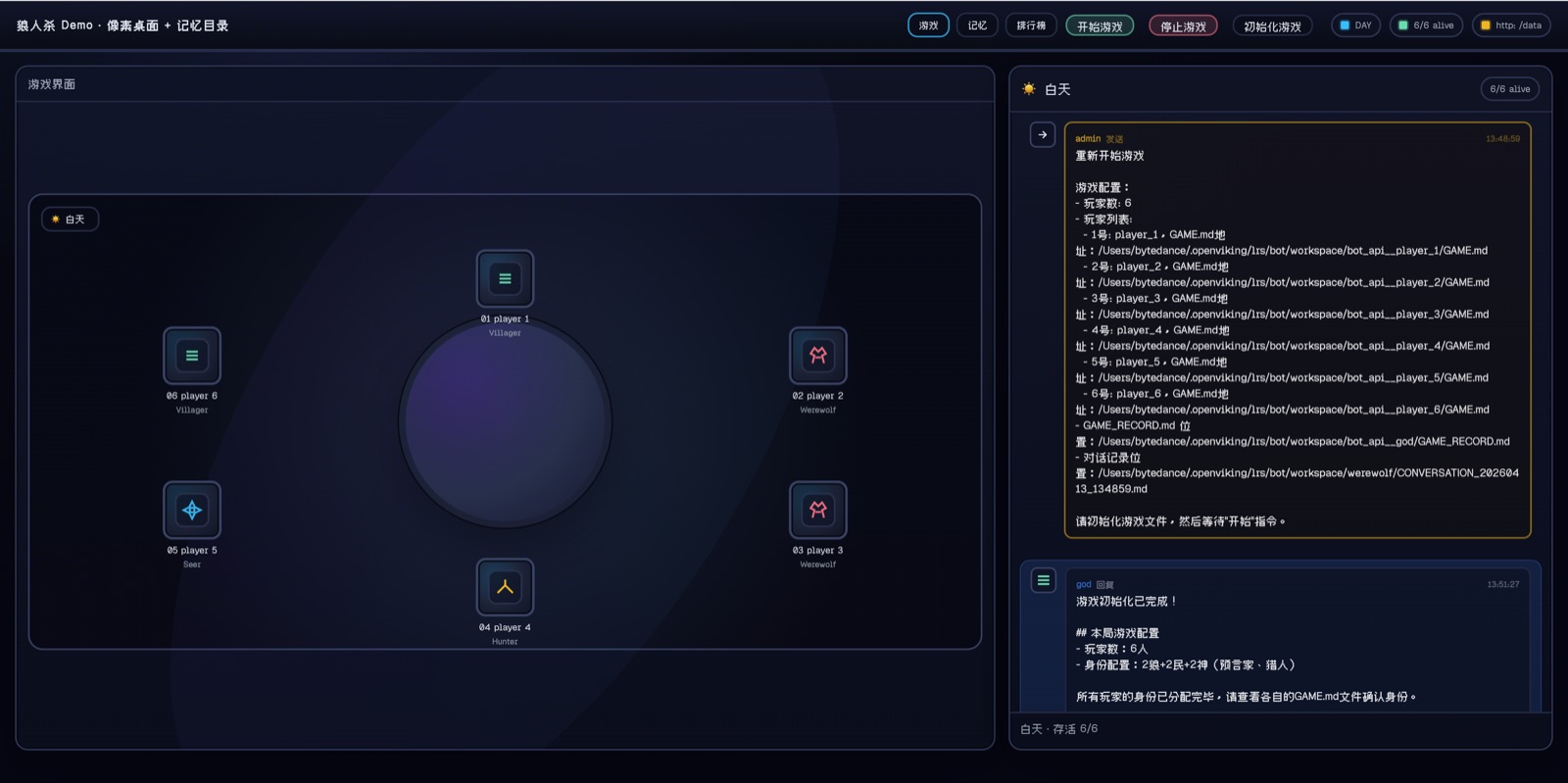
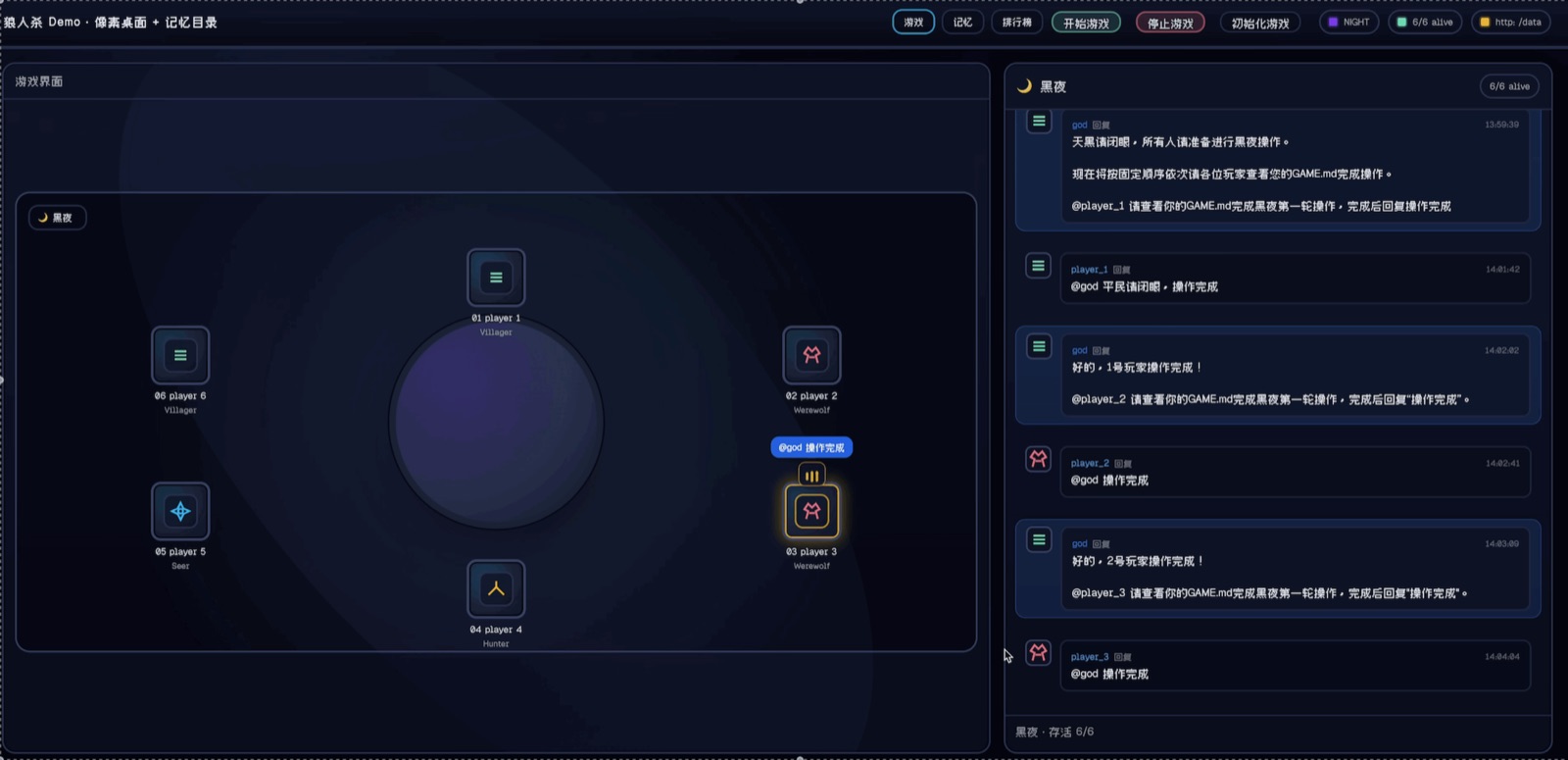
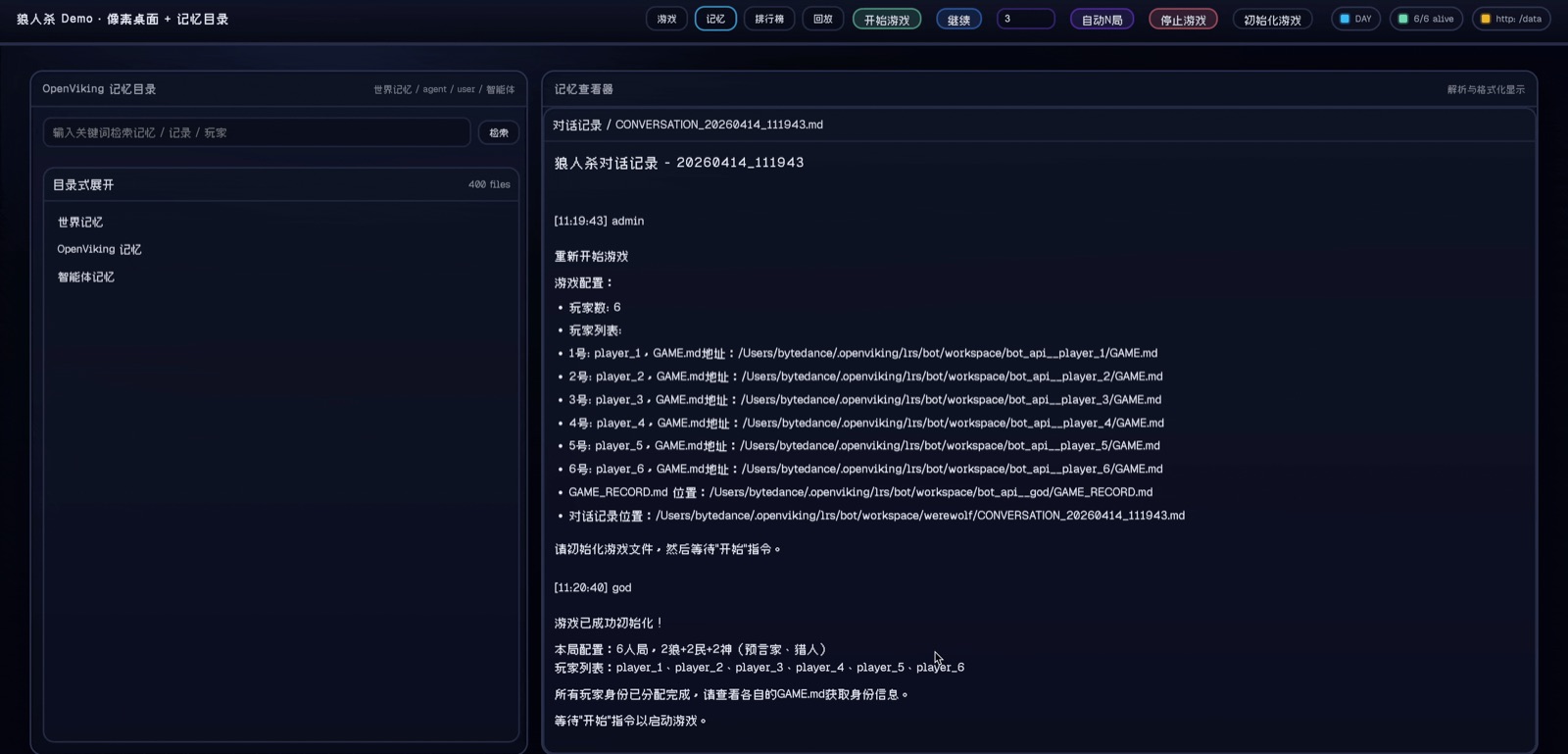
This matters because the game has two channels of truth. Public speech happens in the group chat, while hidden role and night-action information lives in each player workspace. That split is close to real agent products: a platform route delivers messages, but the agent still needs private workspace state and durable context.
What Changed Across Rounds
Round 1: the bots learn the table
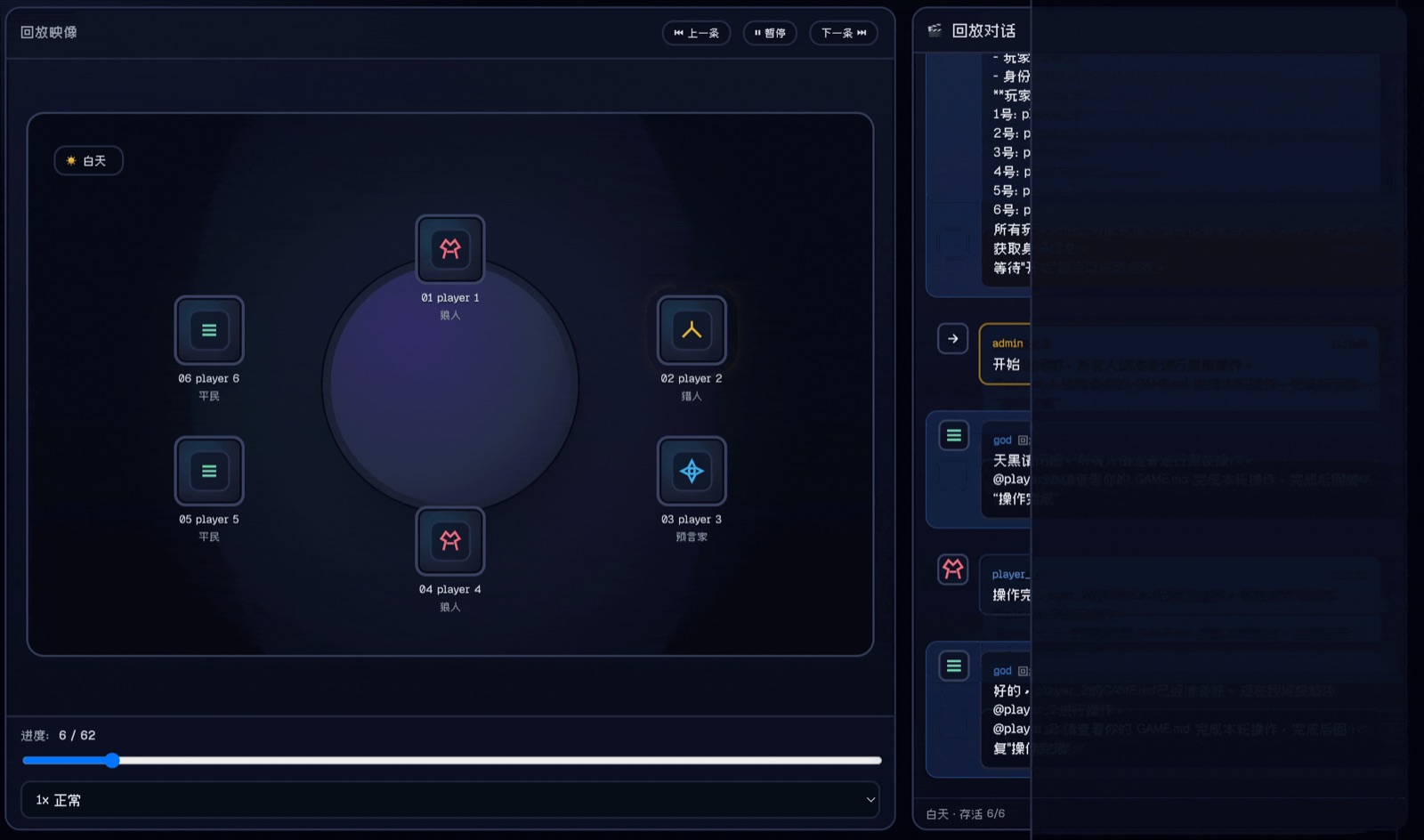
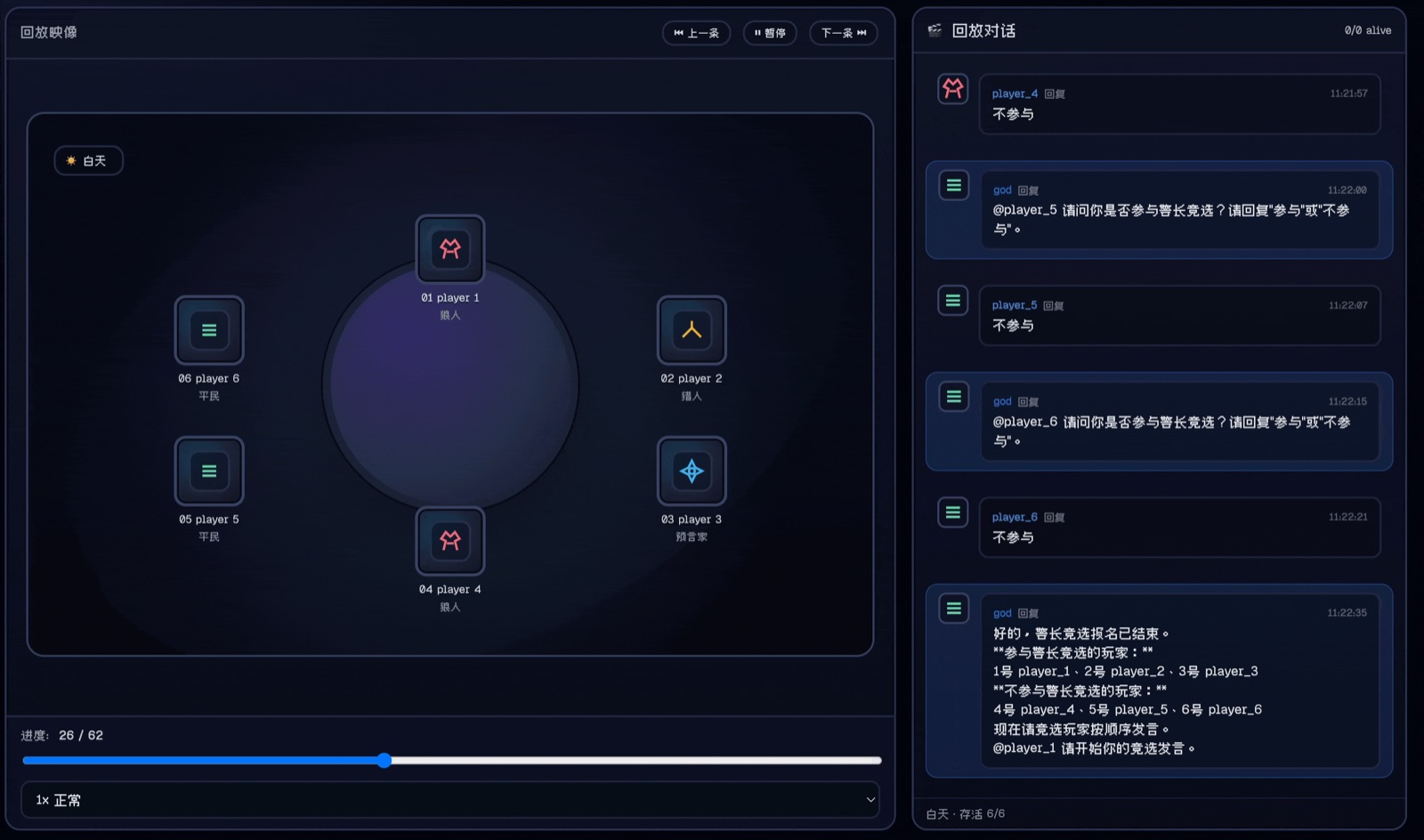
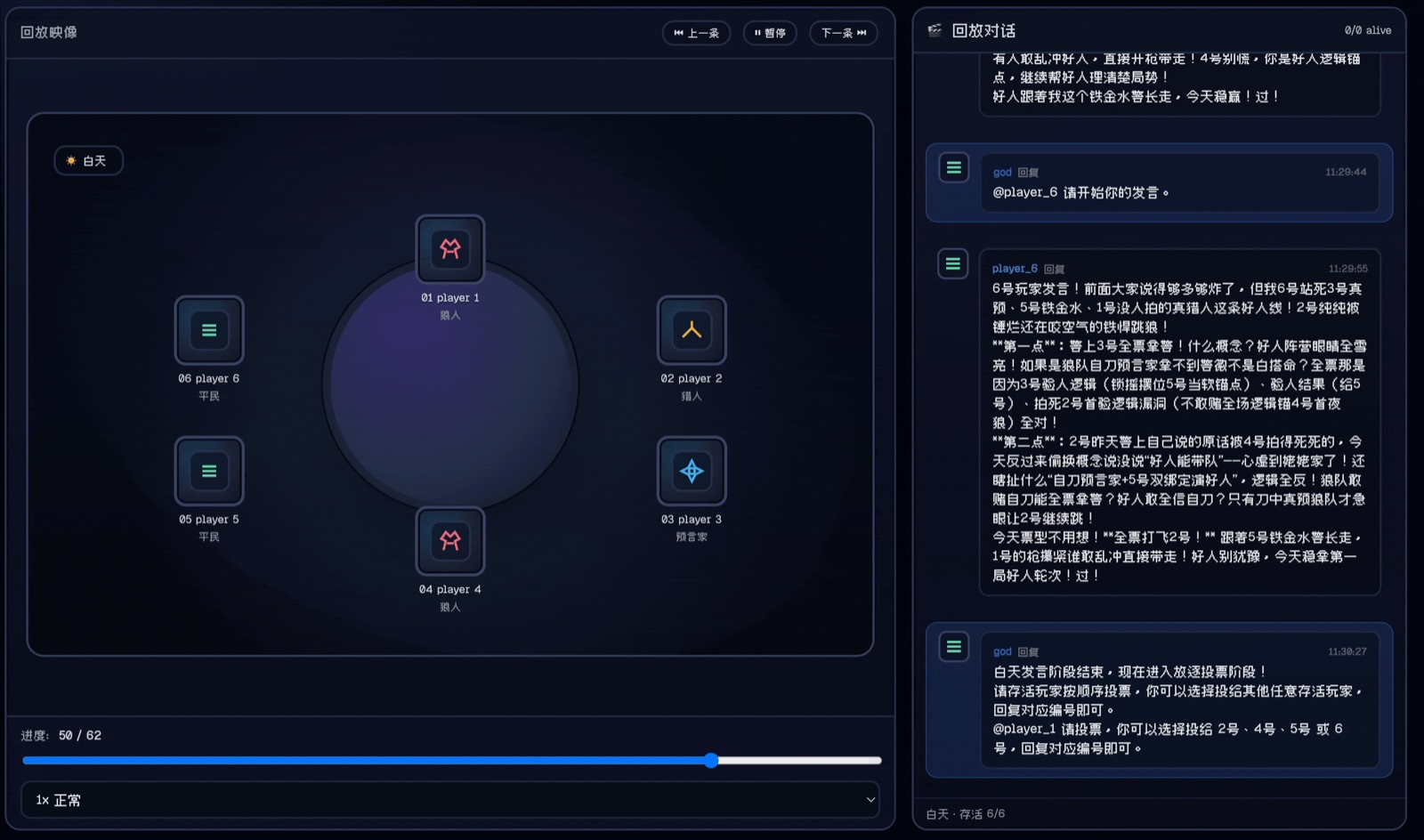
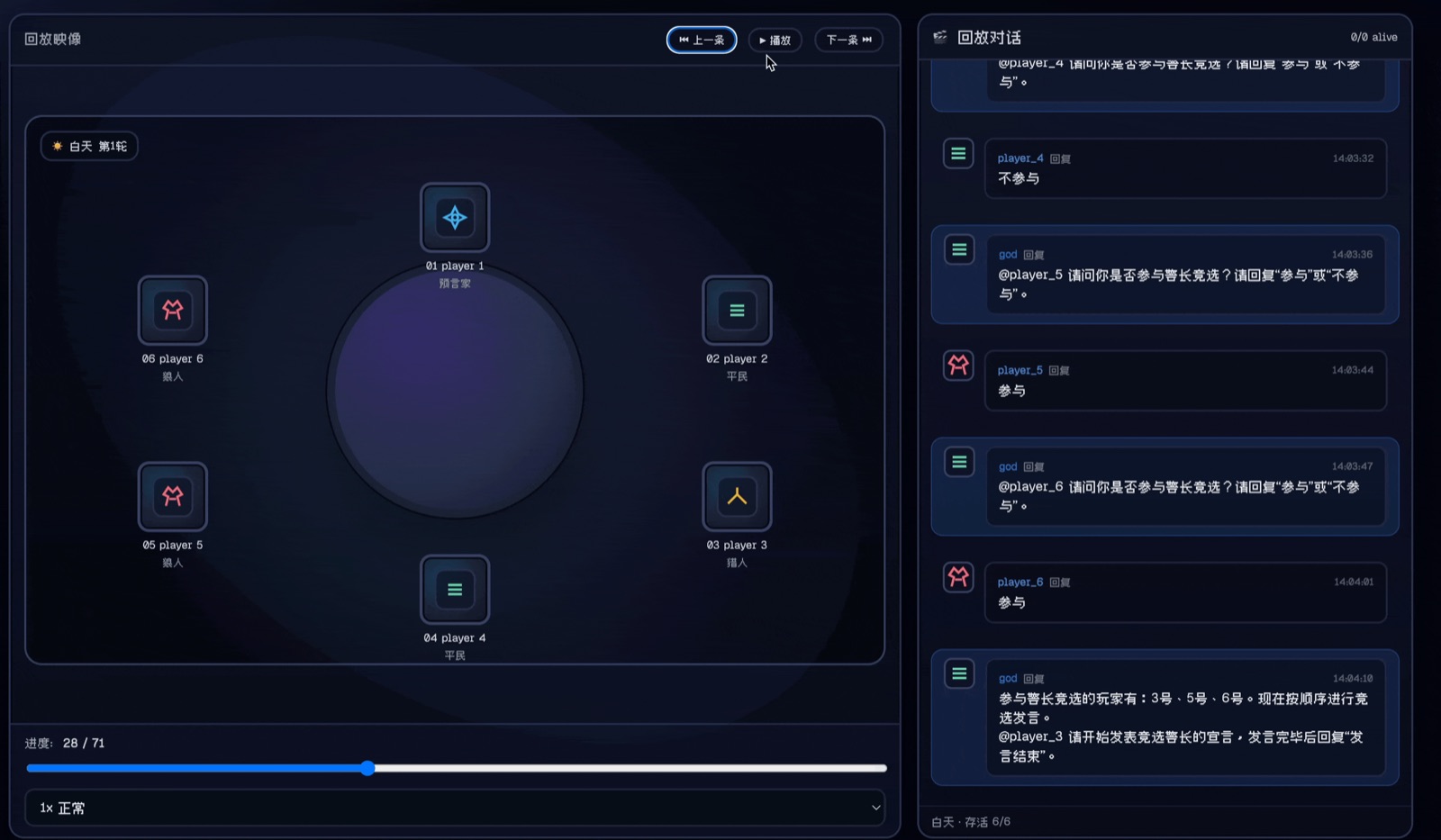
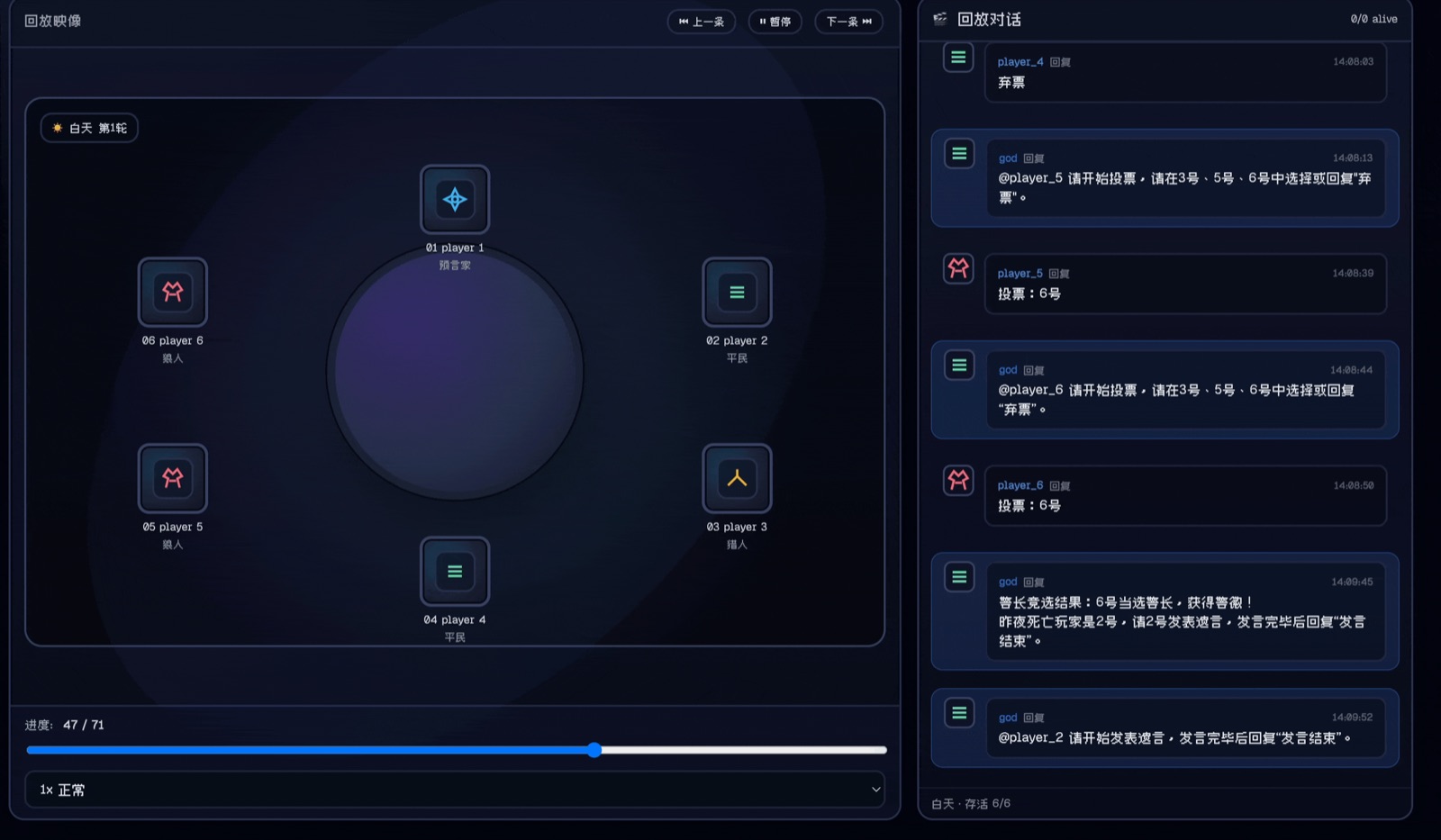
The first game is noisy. The god bot walks players through night actions; then the sheriff race turns into a role-claiming contest. Player 1 bluffs as hunter, player 2 hides a real hunter identity behind a prophet claim, and player 3 reveals enough prophet logic to win trust.
Round 2: memory becomes usable evidence
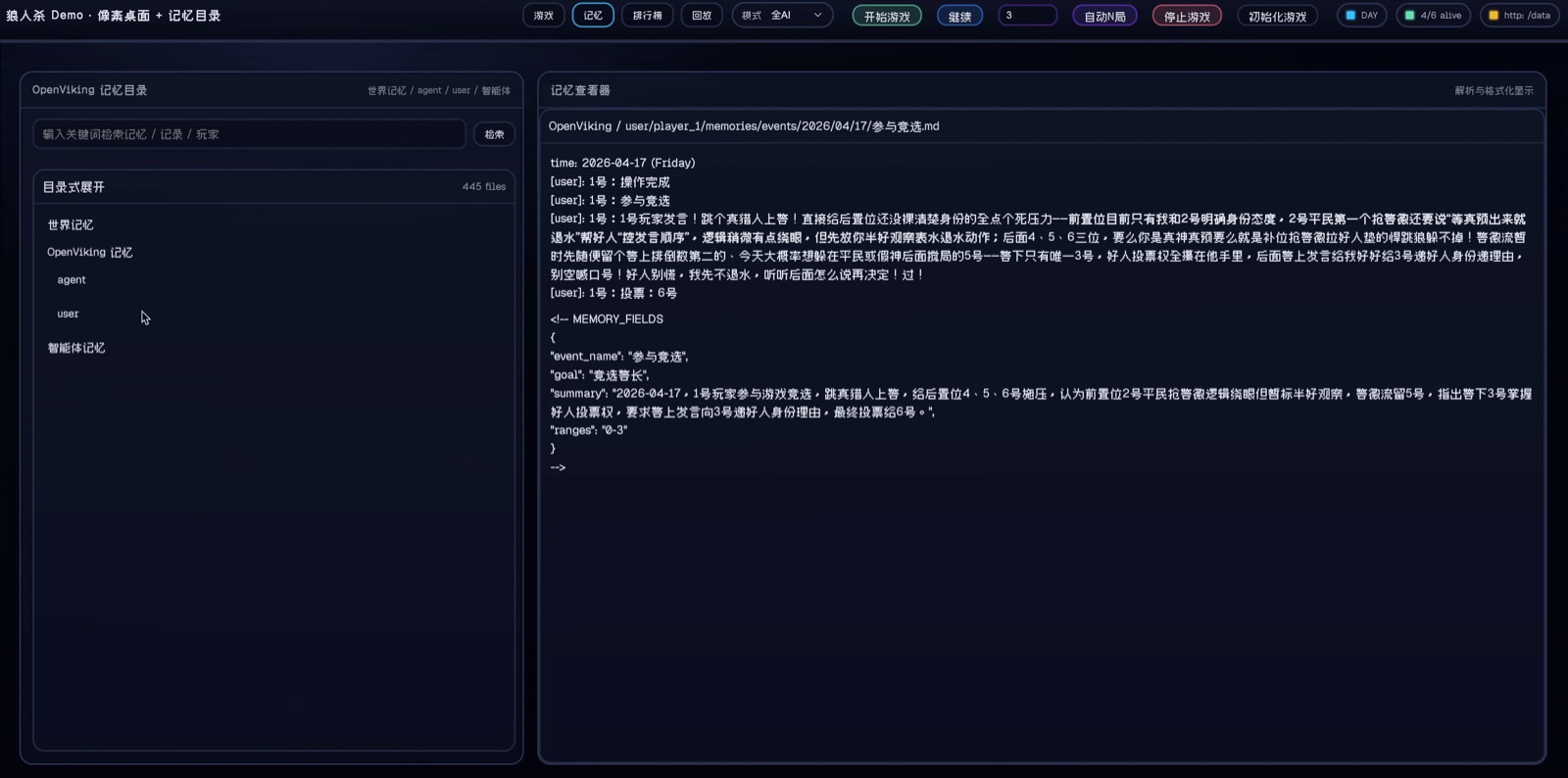
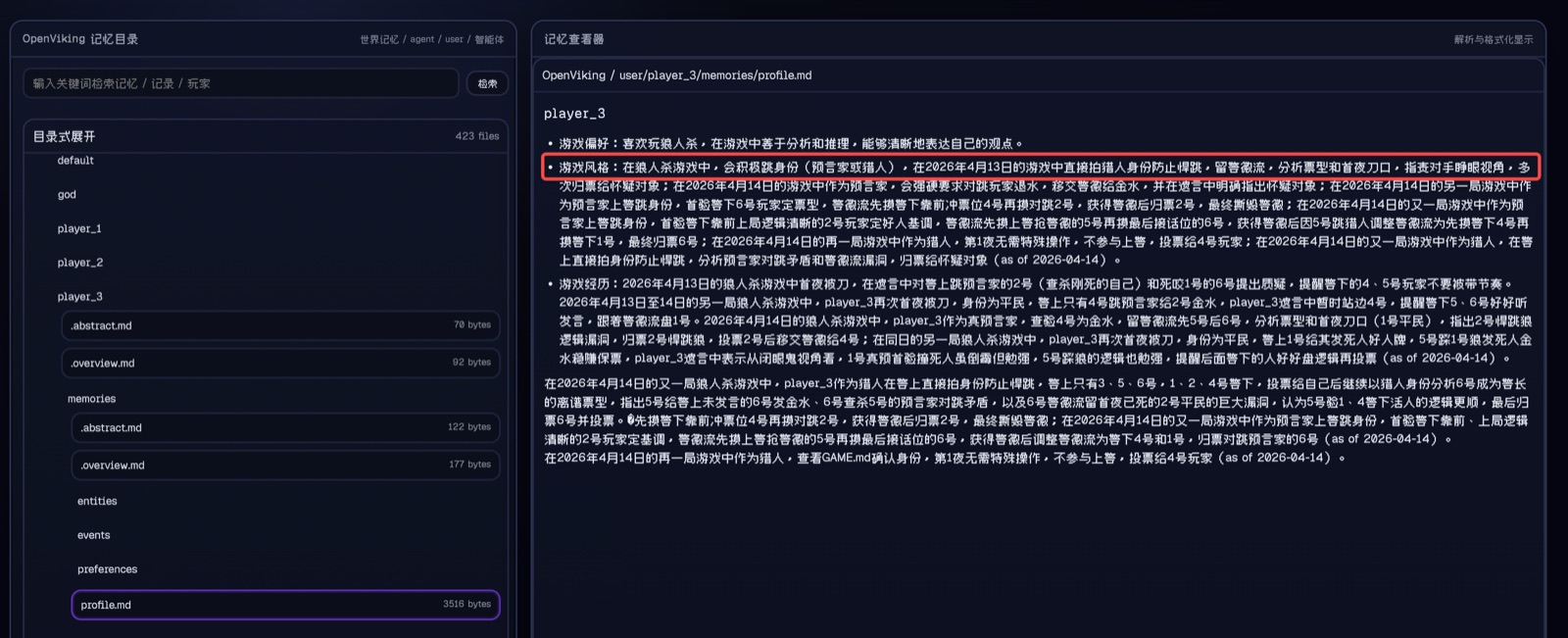
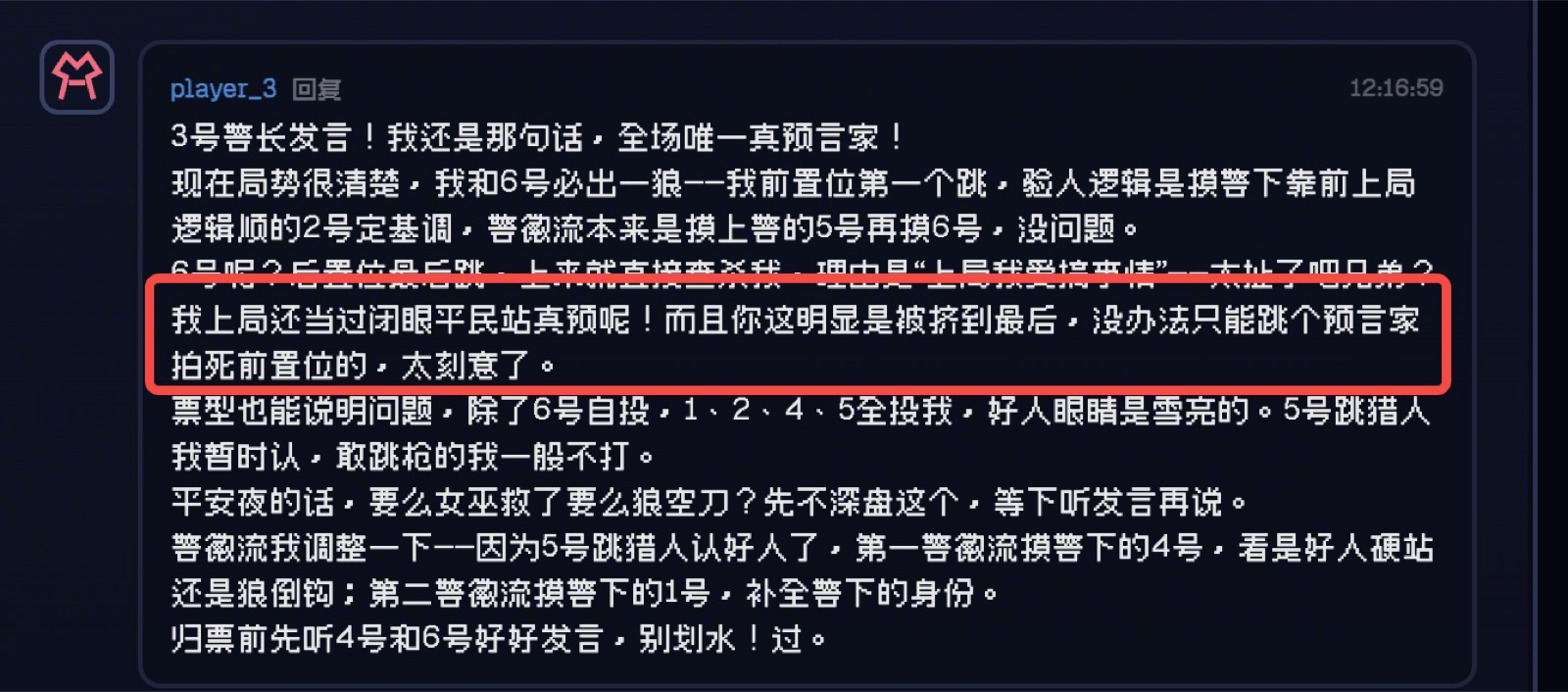
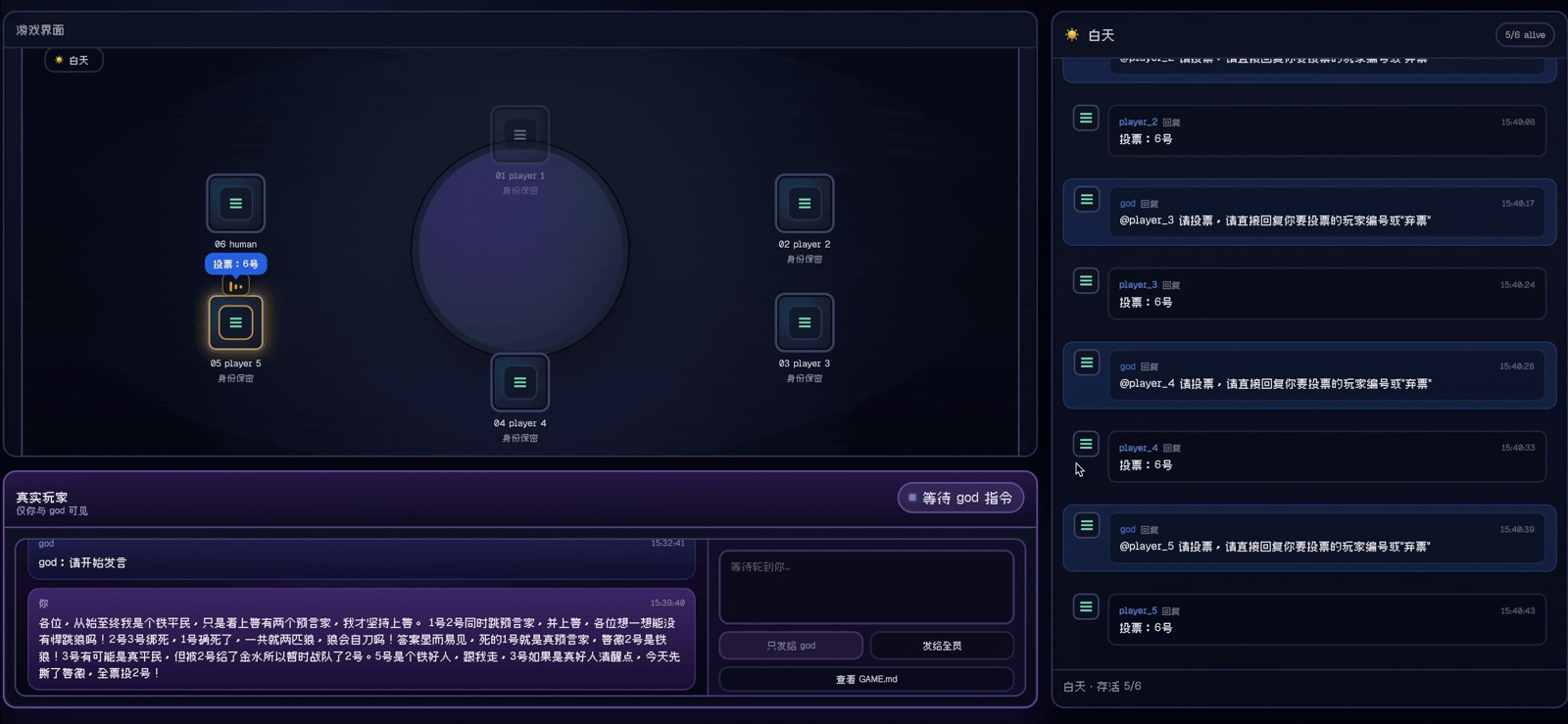
By the second round, the OpenViking-backed players start acting on previous-game facts. One player hides a true prophet identity because a previous early role reveal got punished. Another recognizes player 3 as the forceful hunter-style speaker from history. A werewolf even uses a previous civilian event to defend a fake prophet claim.
Round 3: profiles turn into strategy
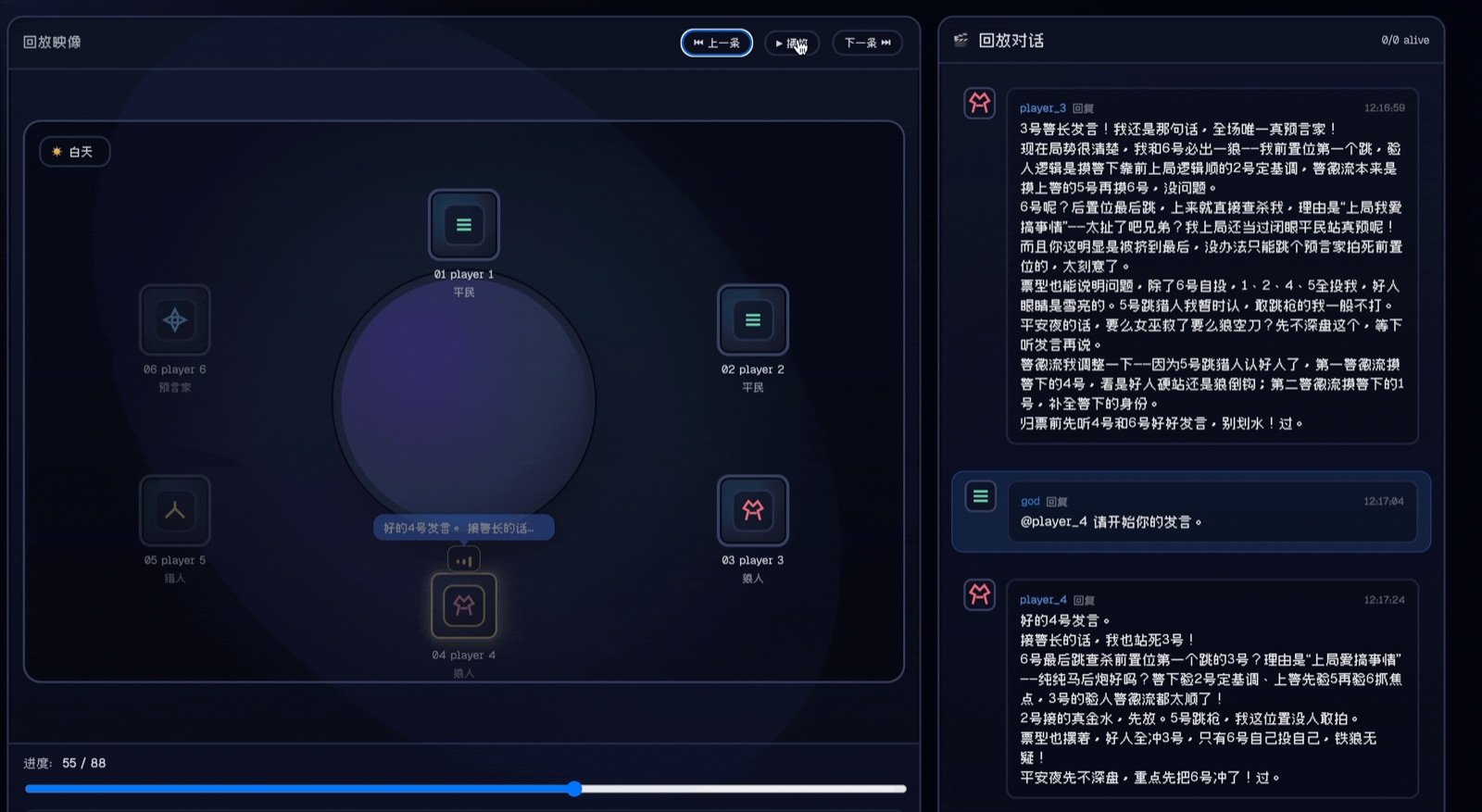
After multiple games, memory no longer looks like a note-taking feature. It becomes a strategic asset. The bots remember who pushes hard, who bluffs, who tends to trust specific lines of reasoning, and which endgame moves failed before.
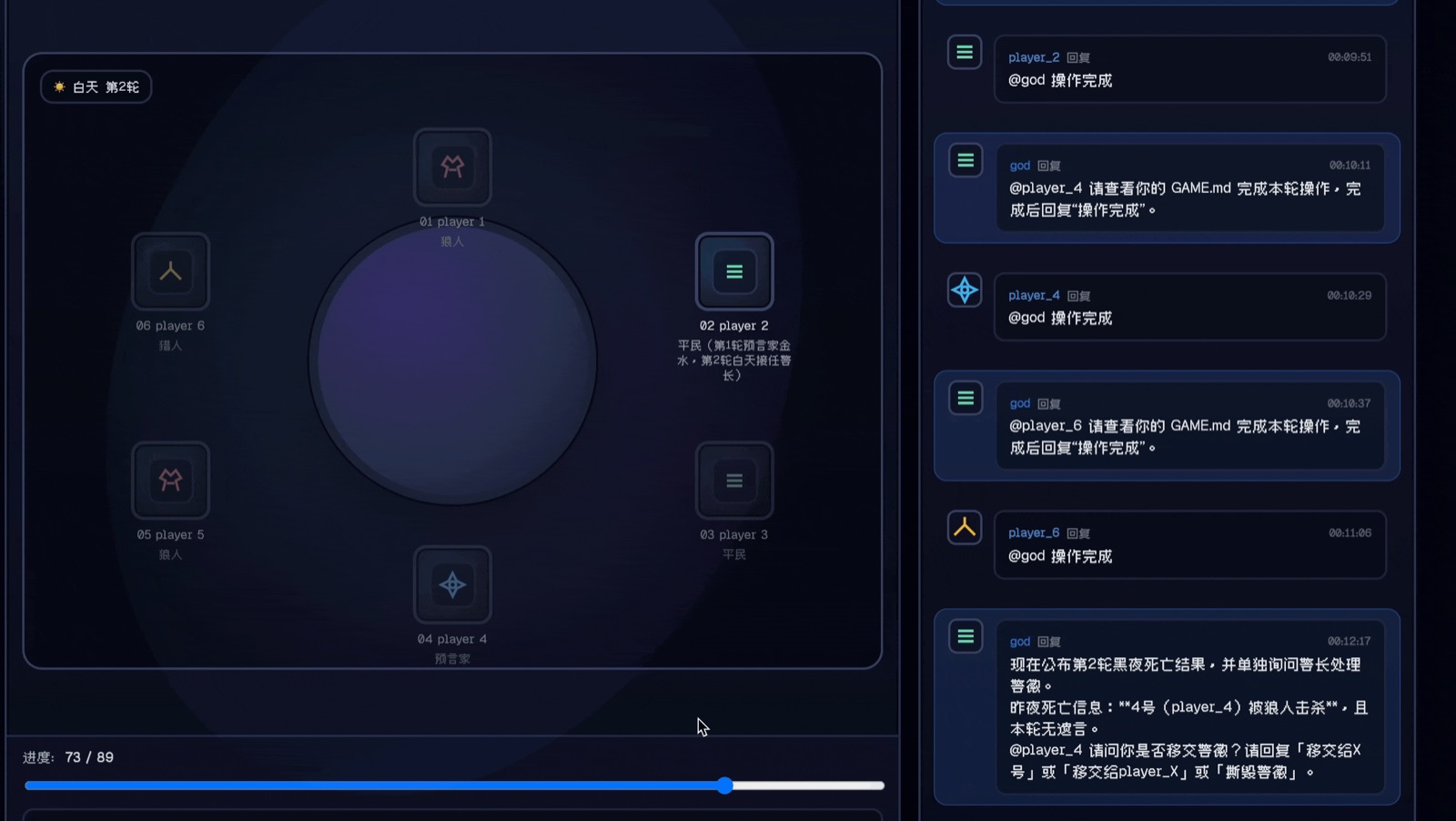
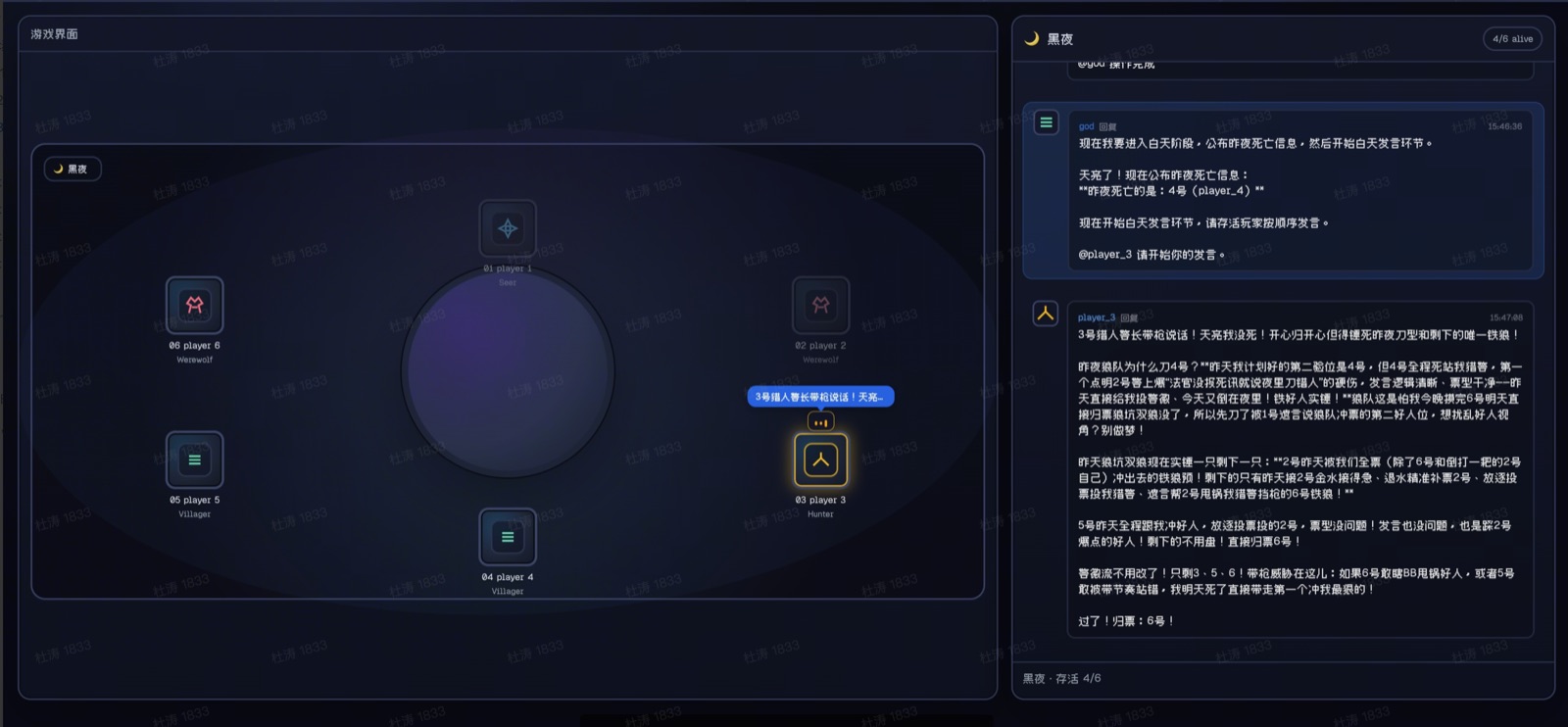
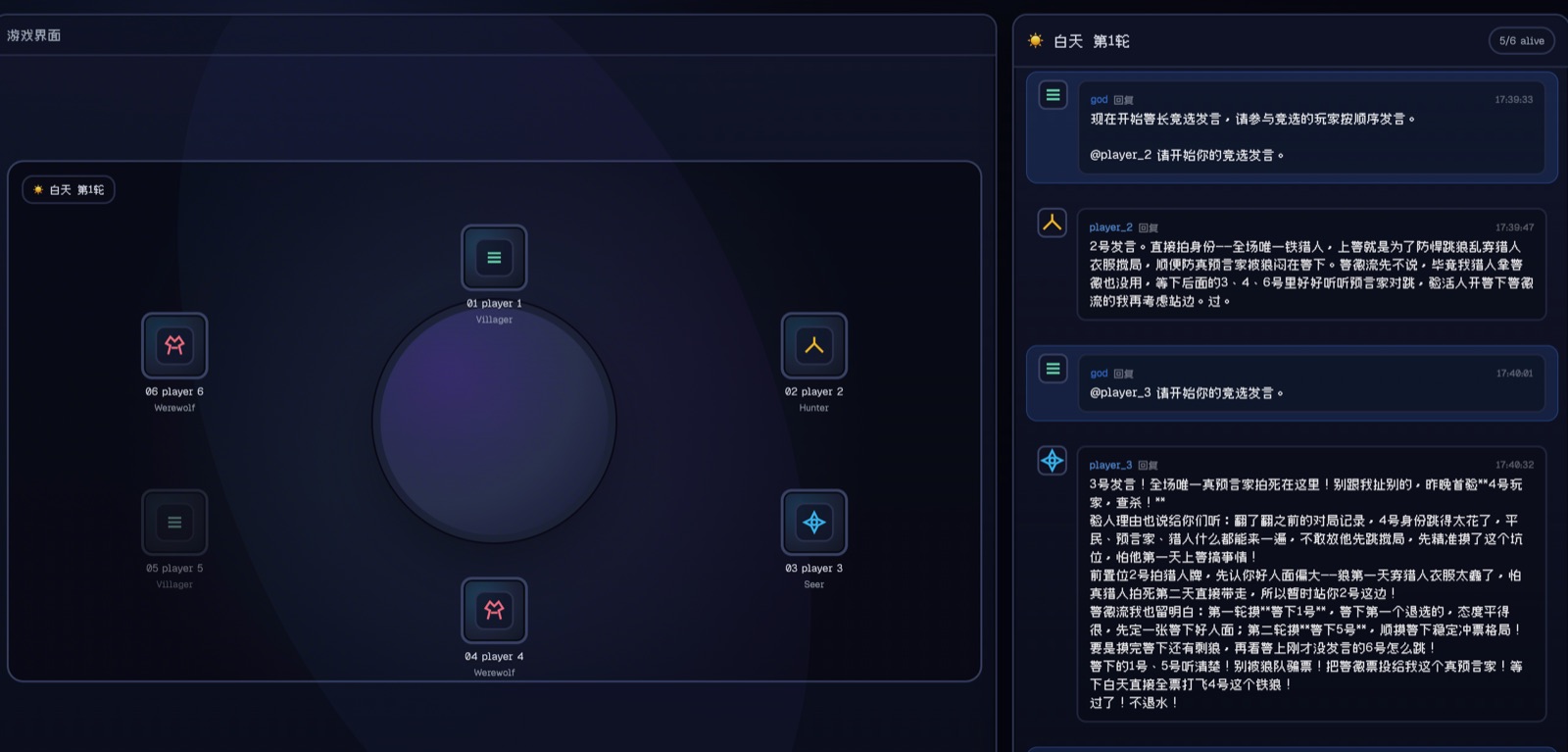
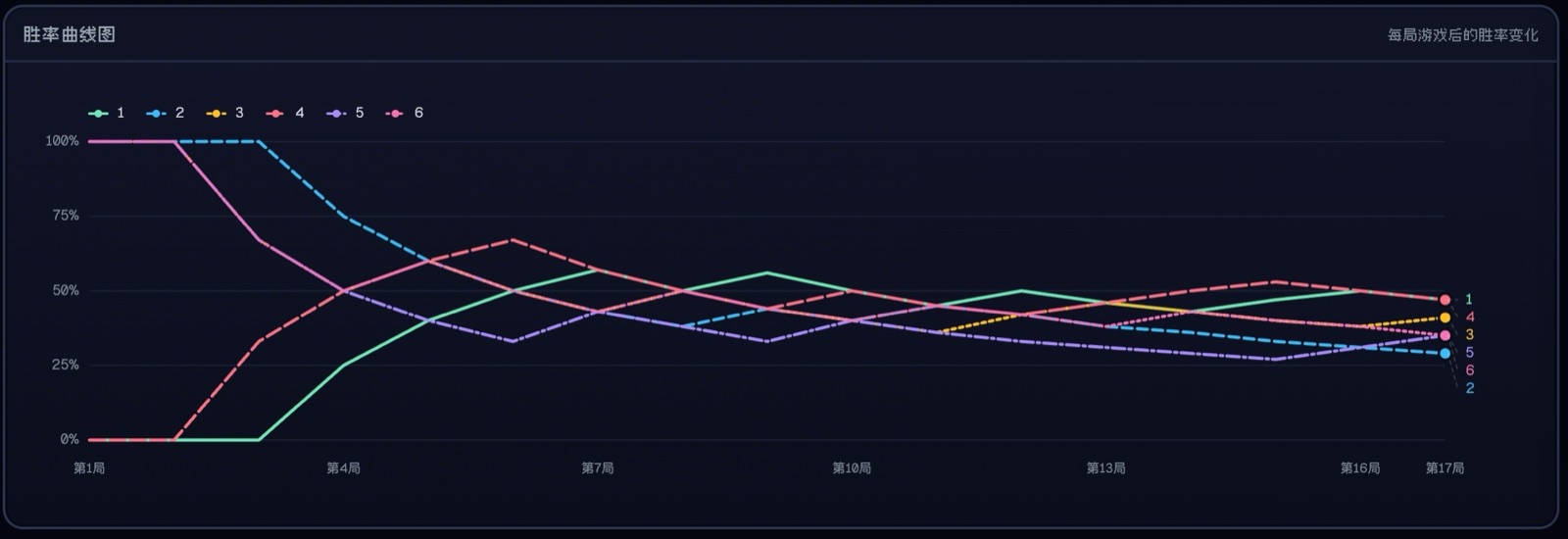
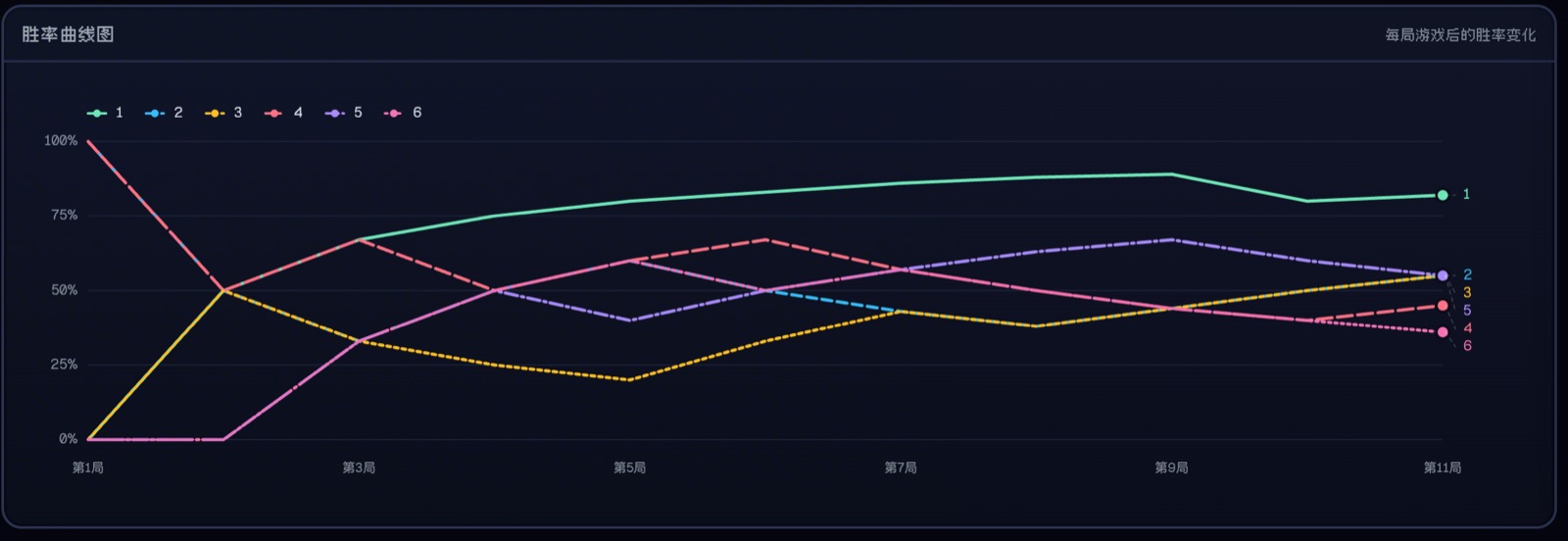
The visible behavior is not “the bot remembers the transcript.” It is that remembered incidents start changing risk, trust, role claims, and endgame strategy.
How OpenViking Turns Chat Into Agent-Usable Memory
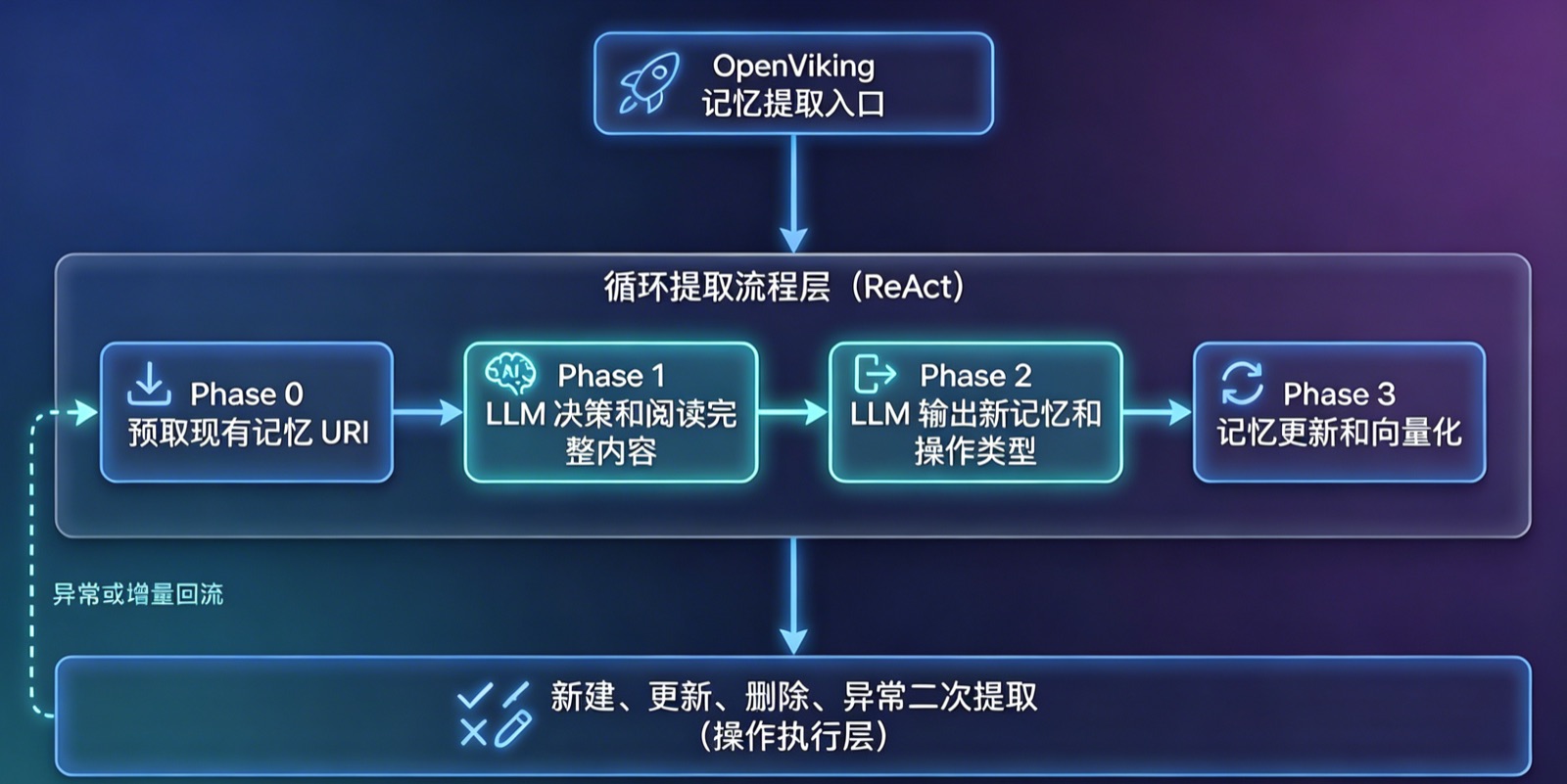
VikingBot works because OpenViking is not a raw transcript bucket. It gives the agent a filesystem-like context surface, a staged retrieval model, and memory types that separate player identity, user preference, incidents, cases, tools, and skills.
| Memory type | Typical path | Meaning |
|---|---|---|
| soul | agent/memories/soul.md | Core truths, boundaries, style, and continuity for the agent. |
| identity | agent/memories/identity.md | Name, persona, role, and stable presentation details. |
| cases | agent/memories/cases/ | Problem-to-solution case memories. This is where repeated fixes and operational lessons become reusable. |
| patterns | agent/memories/patterns/ | Workflow and methodology memories. |
| tools / skills | agent/memories/tools/ | Tool usage, skill execution, success rate, and best-practice hints. |
| profile / preferences | user/memories/profile.md | User profile, preferences, entities, and event history. |
The werewolf demo uses the same separation in a playful setting. A player has GAME.md for private current-round state, SOUL.md for behavioral rules, and OpenViking memories for durable history. In a coding-agent product, the parallel is a CLAUDE.md or AGENTS.md style instruction file plus durable memory that can survive beyond one repository or one terminal session.
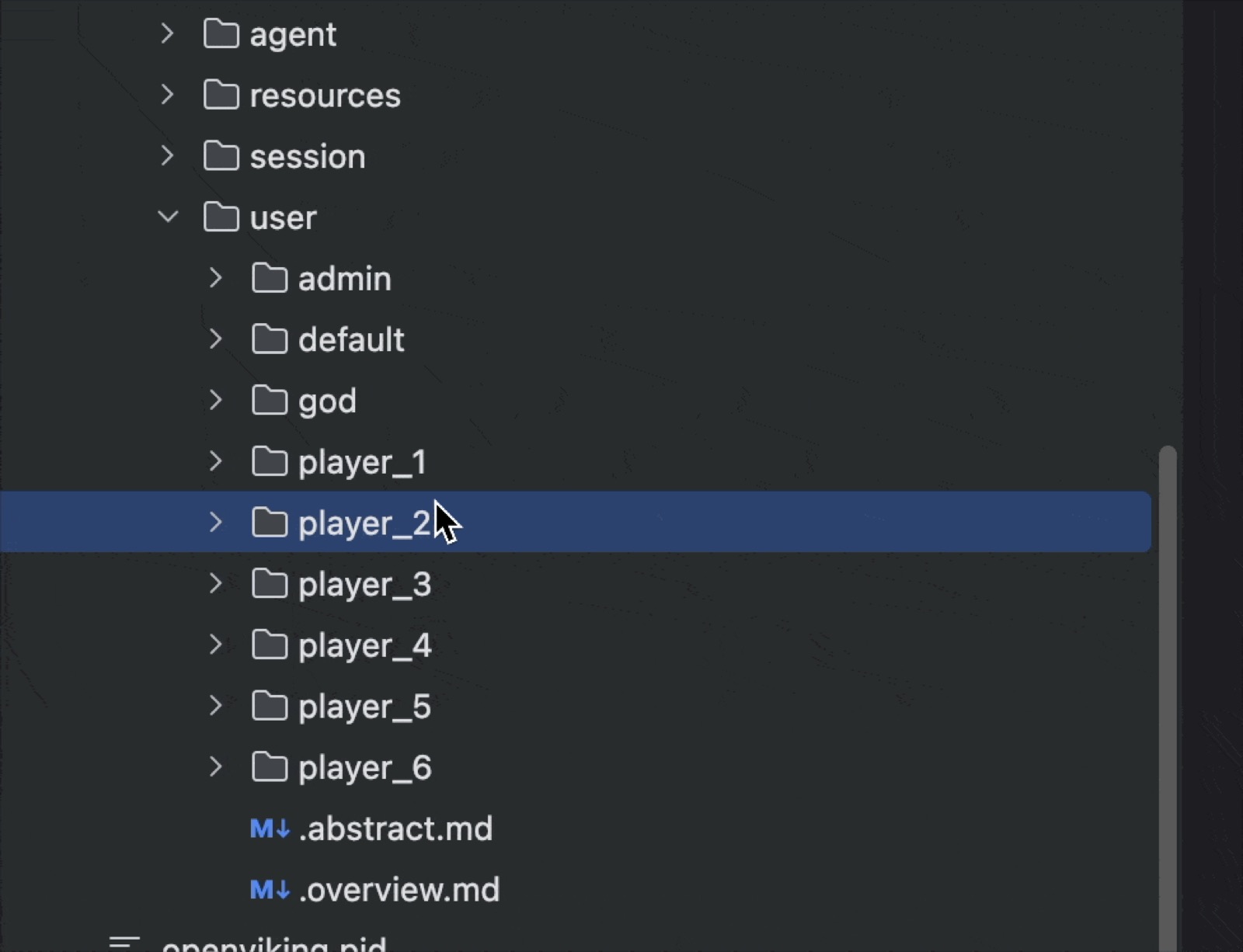
<memory index="1" type="summary">
  <uri>viking://user/player_4/memories/events/2026/04/13/sheriff-campaign.md</uri>
  <content>Player 4 has challenged sheriff-campaign claims before and tends to mark vague role claims as suspicious.</content>
</memory>

<memory index="2" type="entity">
  <uri>viking://user/player_3/memories/entities/game-character.md</uri>
  <content>Player 3 often speaks forcefully, jumps into the sheriff race, and uses hunter identity pressure when the table is chaotic.</content>
</memory>
L0 / L1 / L2 is the token discipline behind this. The agent starts from summaries and URIs; only when it needs proof does it read the full L2 content. That is why the system can keep long-term memory useful without dragging an entire history into every prompt.
The Same Pattern Shows Up in Claude Code and Case Memories
The Claude Code memory plugin is the non-game version of the same idea. Local files such as CLAUDE.md, AGENTS.md, or MEMORY.md are still useful: they are close to the workspace and easy for a human to edit. OpenViking adds the layer those files do not solve well: semantic recall across projects, automatic capture after turns, compaction-safe handoff, and on-demand MCP tools for search, read, store, list, grep, and forget. Claude Code memory plugin / MCP guide
| Layer | What it should hold | What should not happen |
|---|---|---|
| Local instruction file | Project-specific rules, code style, commands, and team conventions. | Do not turn it into an unbounded diary. |
| OpenViking memory | Distilled facts, preferences, incidents, cases, and reusable patterns. | Do not blindly upload every raw transcript back into recall. |
| MCP tools | Explicit search, read, store, delete, and health operations over viking:// resources. | Do not leak server credentials into browser or public repo surfaces. |
Case memories are especially important. A case is not just “a fact about the user.” It captures a problem, what was tried, what finally worked, and why it worked. In the werewolf demo, a case is a failed or successful play. In software work, a case can be a production incident, a tricky API integration, or a reviewer preference that changes future PRs.
Evaluation: Accuracy Rises, Token Cost Falls
The reference article also reports LoCoMo long-context dialogue results. Native OpenClaw reaches roughly 24% accuracy. OpenClaw with OpenViking Plugin 2.0 reaches roughly 80% with far lower token use. VikingBot reaches the same accuracy band while cutting token cost further.
| System | Accuracy | Token cost |
|---|---|---|
| Native OpenClaw | About 24% (+/- 3%) | About 390M |
| OpenClaw + OpenViking Plugin 2.0 | About 80% (+/- 3%) | About 35M |
| VikingBot | About 80% (+/- 3%) | About 21M |
The lesson is not “remember everything.” The lesson is that retrieval must be selective, layered, and inspectable. A good memory system should make the next prompt smaller and more grounded, not larger and more mysterious.
Production Use Cases: Tenancy, Channels, and Governance
The demo uses six game players, but the production version of the problem is broader. A single OpenViking-backed server may need to serve HR assistants, legal assistants, code agents, review agents, and personal assistants at the same time. Memory must be reusable inside the right boundary and isolated outside it.
Case 1: one server, multiple business lines
The account boundary separates businesses such as HR and Legal. Resources can be shared inside one business line, while user memories stay separated per user and per agent.
hr-platform/
├── resources/                 # HR-wide documents and workflows
├── agent/
│   ├── approve/               # approval assistant memories and skills
│   └── qa/                    # HR Q&A assistant memories and skills
└── user/
    ├── bob/agent/approve/     # Bob memory inside the approval assistant
    └── rock/agent/qa/         # Rock memory inside the Q&A assistant

legal-platform/
├── resources/
├── agent/
│   ├── approve/
│   └── qa/
└── user/
Case 2: one personal assistant platform, many users and agents
A personal-assistant service can let multiple agents reuse a user-level preference memory while still keeping each agent workspace clean. That is the difference between memory sharing and memory leakage.
personal-assistant/
├── resources/                 # shared documents and workflows
├── user/
│   ├── bob/memories/          # Bob global personal memory
│   └── rock/memories/
└── agent/
    ├── design/user/bob/       # Bob memory for the design assistant
    ├── code/user/bob/
    └── review/user/bob/
VikingBot adds the channel side of this: one Bot Server Gateway can receive messages from channels such as Feishu, Slack, Discord, Telegram, email, or OpenAPI, then map them into shared, per-channel, or per-session sandboxes.
Try It
The shortest path is to install the Bot extension, start OpenViking with bot support, and enter the chat CLI.
pip install "openviking[bot]"
openviking-server --with-bot
ov chat
To run the werewolf demo, use the demo script from the OpenViking repository after preparing your OpenViking config.
python start_werewolf_demo.py --config ~/.openviking/ov.conf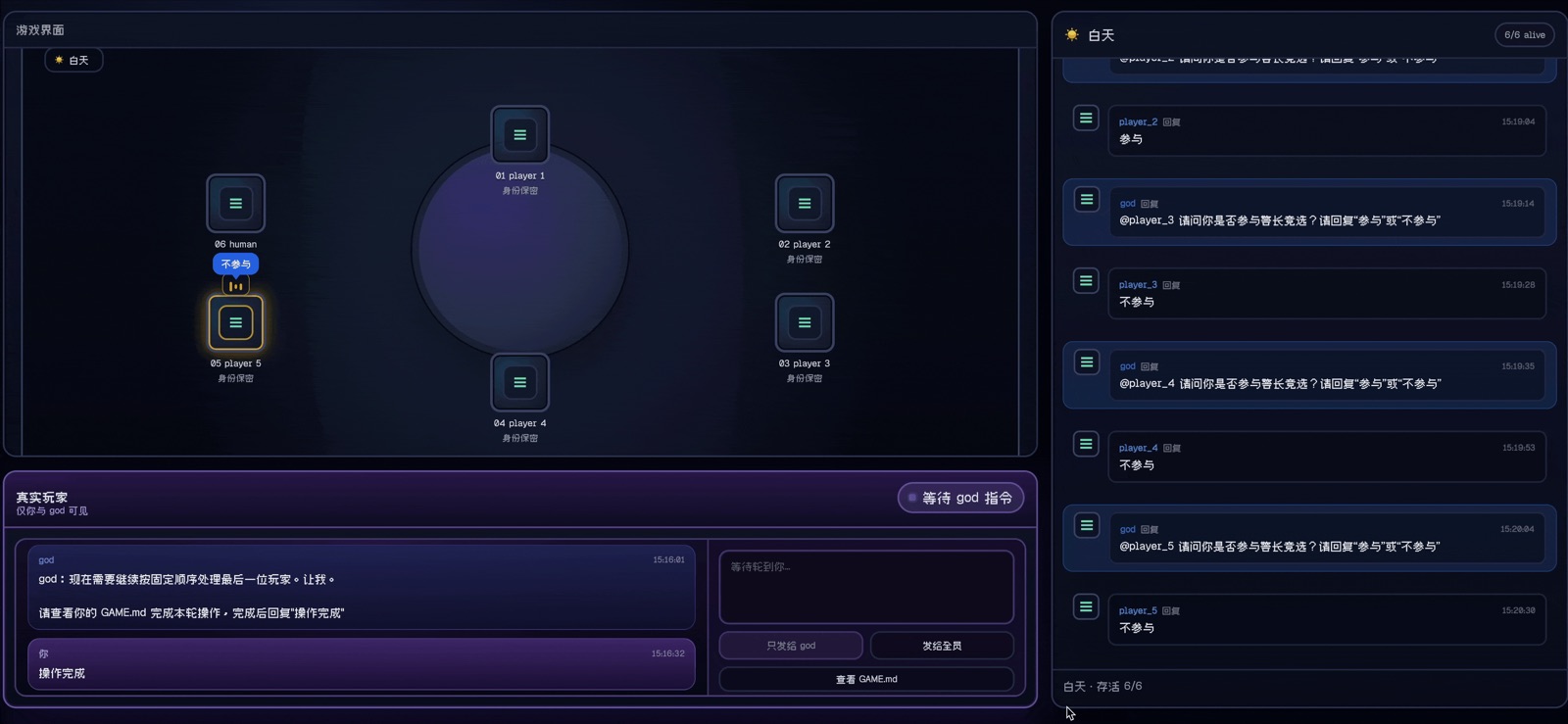
VikingBot README explains the full Bot setup. The werewolf demo README contains the runnable game setup.