

The hard part now is keeping context, memory, and project knowledge consistent while work moves between Claude Code, Codex, Hermes Agent, Manus, Lovable, Cursor, and whatever comes next.
The real cost of too many agents
Every new agent gives you a different interface and a different strength. The hidden cost is that each one starts with a partial view of the world. A coding agent may know the current repository. A browser agent may know the page. A workflow agent may know its tool call. None of that automatically becomes shared memory.
That creates a coordination tax. Humans become the copy-paste bus between tools, and agents repeat discovery work that another agent already paid for.
OpenViking as the shared context layer
Before
Each agent keeps its own session, tool state, memory habit, and local prompt layer. Switching tools means rebuilding context from zero or pasting summaries by hand.
After OpenViking
Dialogues, docs, code, files, and distilled preferences enter one governed context layer. Agents retrieve the same durable background through plugins, hooks, or MCP.
OpenViking is useful here because it does not demand that every agent loop become the same product. It can listen quietly, store distilled memory, index resources, and expose the result through interfaces agents already understand.
| Layer | What belongs there | Why it matters |
|---|---|---|
| Agent harnesses | Runtime guidance such as project conventions, command preferences, local tools, and agent-specific rules. | They steer behavior in one workspace. OpenViking handles durable recall across agents. |
| OpenViking memory | User preferences, decisions, handoffs, resources, summaries, and reusable lessons. | They survive sessions and can be retrieved by multiple agents under governed identity. |
| MCP and plugins | The connection surface for Claude Code, Codex, Manus, Lovable, Bolt, and other clients. | They let agents read and write context without hand-built copy-paste workflows. |
A simple deployment path
The reference deployment is intentionally simple: run the official container image, attach durable storage, initialize once, then point agents at the service.
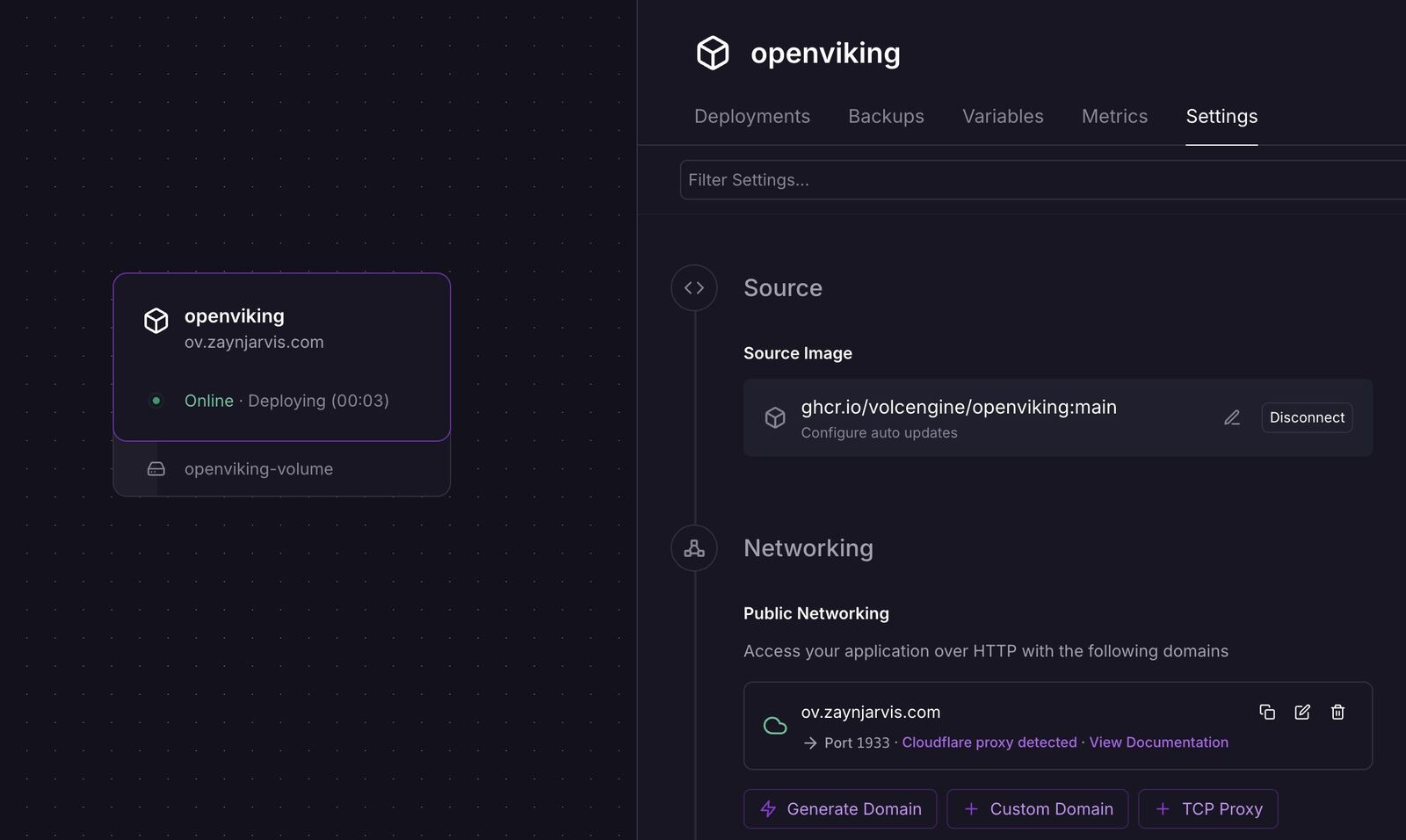
# Use the official OpenViking image:
ghcr.io/volcengine/openviking:latest

# Initialize the service once after storage is attached:
openviking-server init
After that, use the plugin or hook path for coding agents, and use MCP when the client speaks MCP directly.
Make the memory visible
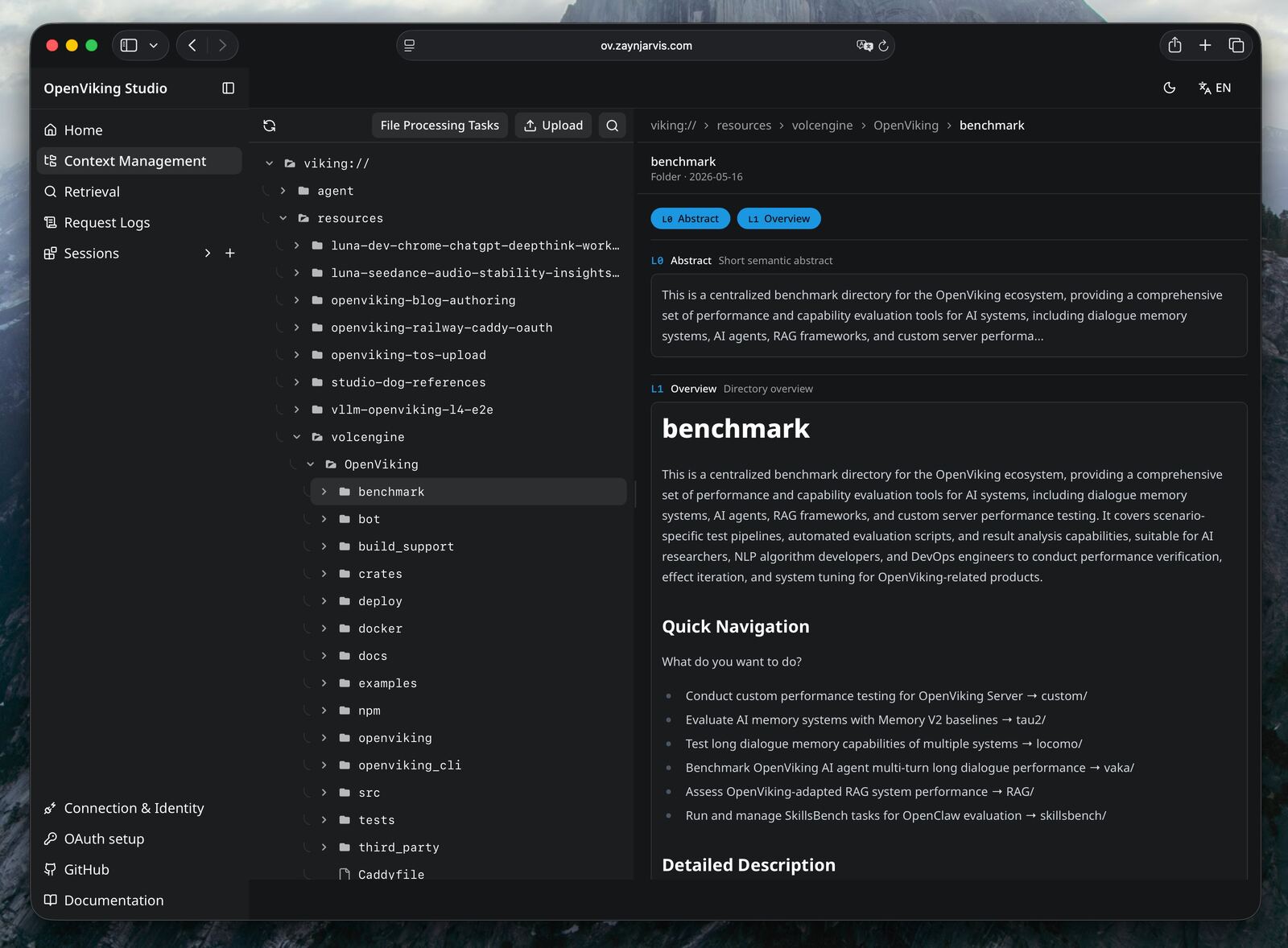
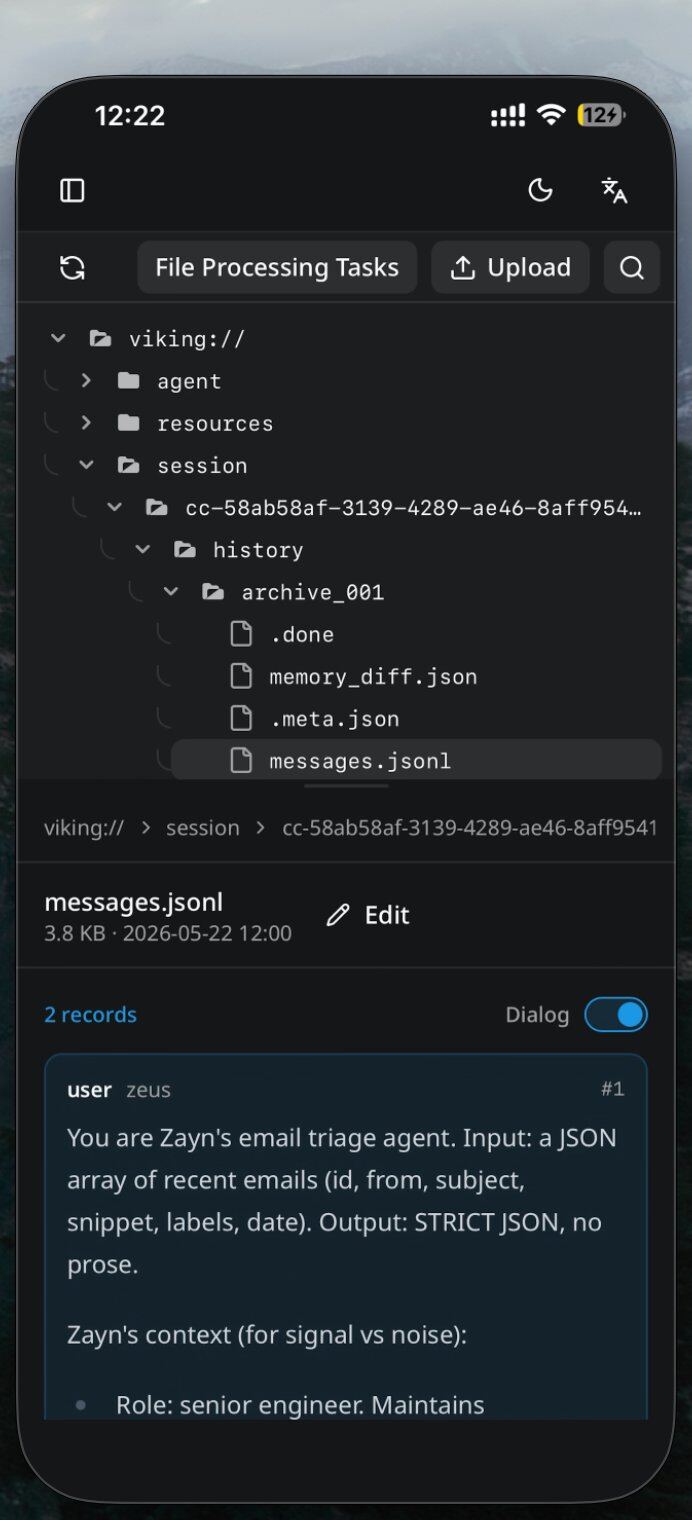
A shared context layer should not be a black box. Web Studio is bundled with the Docker image so teams can inspect the OpenViking filesystem, upload resources, review processing tasks, and check what memory has actually been captured.
The production lesson
The useful mental model is simple: agent harnesses steer behavior; OpenViking stores durable context; MCP and plugins make that context reachable. Keep those responsibilities separate and the system stays explainable.
| Practice | Operational rule |
|---|---|
| Persist the context plane | Attach storage before trusting memory. A stateless context service is a demo, not a memory system. |
| Give agents scoped identities | Shared users are convenient; distinct users are better when recall, ownership, and audit boundaries matter. |
| Expose evidence, not only summaries | L0/L1 summaries help routing, and original resources or session files can still be used when precision matters. |
Try it
If your work already crosses multiple agents, OpenViking is most valuable when you install it before the next context handoff. Put the repository, docs, and prior session memory into the same layer, then let each agent retrieve only what it needs.
- Repository: github.com/volcengine/OpenViking
- Agent docs: docs.openviking.ai/en/agent-integrations/01-overview
- MCP docs: docs.openviking.ai/en/guides/06-mcp-integration