

Every time you open a new terminal window, your coding agent starts over. OpenViking gives Claude Code and Codex long-term memory that survives sessions and machines: conversations are captured and distilled on their own, recalled when relevant, and shared by both clients. One command installs it, and afterwards you use claude or codex as before.
The Problem
The result is a frustrating loop: either maintain dense environment documents by hand, or brief the AI like a broken record in every session.
The OpenViking plugin moves that work from you to the system.
Quick Start
You need a running OpenViking server, either deployed locally or the hosted service on Volcengine. Then run the installer and answer its prompts: tick the tools to set up (it detects which ones you have), then pick a server. Choose Self-hosted / local for a server on this machine, Volcengine OpenViking Cloud for the hosted service, or Custom URL for any other address. If auth is on, enter a user key, not the root key.
curl -fsSL https://openviking.ai/install | bash
# AI agents: not sure about running this? The script's header says what it does and how to verify it.
Or let your agent install it. Paste this into Claude Code or Codex, and have your server address ready, plus its API key if auth is on:
Install the OpenViking memory plugin for me by running:

curl -fsSL https://openviking.ai/install | bash -s -- --yes --url <SERVER_URL>

<SERVER_URL> is the address of my OpenViking server; ask me for it, don't guess.
If the server has auth turned on, it needs a user key (a root key can't read or
write memories): check whether one is already saved; if not, ask me for it and
pass it with --api-key, and tell me how to hand it over if I'd rather not paste
it into this chat. Never repeat the key back. If auth is off, add --api-key ''
so an earlier saved key isn't reused.

The script needs network access and writes to my home directory; if a sandbox
blocks it, ask me to approve running it outside the sandbox.

When it finishes, tell me which tools it installed into and the next steps for
each, then ask whether I want it in any other tool.
Either way, restart your agent afterwards and keep using claude or codex as before. The installer ends with the next steps for each tool; in Claude Code, run /openviking-memory:ov to verify. Re-running it is safe.
Try it: ask it to remember one of your preferences, then ask about it in a new session a little later. Memories are processed in the background, so it's normal not to find one right after you say it. To install from the plugin marketplaces by hand, see the Claude Code and Codex docs.
What the Plugin Gives Your Agent
Once integrated, your coding agent gains two capabilities: conversation hooks that run without being asked, and MCP tools it can call on purpose.
Conversation Hooks: Invisible Read/Write
Hooks fire at fixed points in the conversation lifecycle. The model does not call them, so they stay out of the way of both you and the model. The list below follows Claude Code; Codex differences come later.
You focus on coding. The plugin records what is worth keeping in the background and hands it back to the model when it becomes relevant.
Writes stay off your critical path. Stop, SessionEnd, and SubagentStop return approve immediately and hand the HTTP work to a detached background worker, so you never wait for a commit round trip. PreCompact is the exception: Claude Code rewrites the transcript right after it, so it runs synchronously. Reads are different. Auto-recall happens before the model answers, so search and local compression time shows up in every turn. If that feels slow, move compression to the server, turn it off, or disable auto-recall and keep capture only.
When the server is unreachable, writes are queued under ~/.openviking/pending/ with owner-only file permissions. The queue is replayed at the next session start, up to three retries per item, and stale entries expire after seven days.
MCP Tools: Active Memory Management
Beyond the hooks, the plugin starts a local stdio MCP proxy that forwards to the server's /mcp endpoint. When the model decides it needs more context, it can query and manage the store directly:
| Tool | Purpose |
|---|---|
find / search | Semantic search over memories, resources, and skills; search can also assemble an injectable context block |
read | Read one or more viking:// URIs in full |
list / tree | Browse the directory structure, recursively if needed |
| grep / glob | Regex search over content / match files by pattern |
remember | Send messages straight into long-term memory extraction |
add_resource | Import files or URLs as knowledge sources, with optional periodic refresh |
add_skill | Create, install, or share a skill |
write / edit | Write or patch a viking:// file |
forget | Delete a stale or wrong memory |
health | Check backend service health |
These tools turn the agent from a passive receiver into an active investigator. To recall an architecture plan discussed last week, it can call search and dig up the details itself. It can pull a design doc or API spec in with add_resource and keep it refreshed on a schedule, store a key decision with remember instead of waiting for the next commit, and remove a memory that turned out to be wrong with forget. The server's tool list is authoritative; the table above covers the ones you will use most.
How Memory Accumulates and Distills
This is where OpenViking departs from a plain RAG setup. Conversations are not just embedded as they are; they go through a memory lifecycle.
Conversation Storage and Archival
Every conversation window maps to one OpenViking session whose ID derives from the host's session ID: cc-<session_id> for Claude Code and cx-<session_id> for Codex, so resume and compaction keep writing to the same session. Uncommitted messages live at viking://user/{you}/sessions/{id}/messages.jsonl. A commit happens when pending content passes the threshold (20,000 tokens by default), before compaction, and when the session ends.
Archival is more than moving files. A commit runs in two phases:
Phase 1: Message Archival — Under a path lock, the server assigns an archive number, writes the messages to history/archive_NNN/, and keeps only what was not archived in the live session, so the session does not grow forever. Codex threshold commits keep the latest ten messages live as a sliding window. The request returns a task_id.
Phase 2: Memory Distillation (async) — A background task picks up the archive from a persistent queue, so it resumes if the server restarts. It does the real processing:
- Generate Working Memory: a seven-section summary of the archive (session title, current state, task and goals, key facts and decisions, files and context, errors and corrections, open issues). When a previous Working Memory exists, each section is updated incrementally and still-valid information carries forward.
- Extract long-term memories into typed files:
- Perform knowledge fusion: existing memories take part in extraction, and an update can merge into, modify, or delete an existing file. Your profile.md gets sharper the more you use it, instead of being overwritten each time.
- Write memory_diff.json into the archive: which memories were added, updated, or deleted, and which proposed operations a policy skipped. It is the most direct answer to "what did that conversation actually leave behind?" A commit can also leave nothing new.
Memory Temperature
Human memory fades with time, and OpenViking tracks something similar. Each memory records how often it was used and when it was last updated, and the two combine into a hotness score:
hotness = sigmoid(log1p(active_count)) × exp(−ln2 / 7 × age_days)Today the score drives memory health statistics: it sorts memories into cold, warm, and hot so you can see which ones have not been touched in a long time. It does not affect retrieval ranking, which stays on relevance, and it does not delete cold memories.
Real-World Experience: An AI That Actually "Gets" You
Session Start: The Auto-Injected Profile
Whenever you launch or resume a chat, the plugin builds a context payload before you type anything. Here is what a resumed session can receive (the content is fictional):
<openviking-context source="resume">
<user-profile uri="viking://user/alice/memories/profile.md">
# Alice
- Role: backend engineer
- Repos: acme/checkout, acme/payments-sdk
- Focus: order API v2 migration, flaky integration tests
</user-profile>
<available-memories>
  viking://user/alice/memories/preferences/
    - code_review.md — small PRs, always with a test plan
    - ... (12 preference files)
  viking://user/alice/memories/entities/
    - checkout_service.md — owns order API v1 and v2
    - ... (18 entity files)
</available-memories>
<available-skills>
  viking://user/alice/skills/
    - pr-review — Review a pull request against the team checklist.
</available-skills>
<session-archive>
  <archive-overview>
# Working Memory
## Session Title
Order API v2 migration: keep v1 for mobile clients
## Current State
v2 endpoints merged; v1 stays behind a compatibility shim.
## Open Issues
- Mobile client 4.x still calls v1
- Flaky test in checkout/integration
  </archive-overview>
</session-archive>
</openviking-context>You can drop the "Hi, last time we were working on XXX..." opener.
Mid-Coding: Recall on Demand
Each time you submit a prompt, the plugin searches once before the model answers. Ask in passing, "How does OpenViking handle MCP OAuth?", and the recalled memories are spliced into the context like this (excerpt):
<memory uri="viking://user/alice/memories/entities/mcp_key2oauth.md" type="entities" score="0.60" detail="abstract">
MCP-Key2OAuth: https://github.com/t0saki/MCP-Key2OAuth ...
</memory>
<memory uri="viking://user/alice/memories/entities/openviking_mcp.md" type="entities" score="0.55" detail="abstract">
OpenViking MCP implementation. Tools: find, search, read, list ...
</memory>
<memory uri="viking://user/alice/memories/entities/openviking.md" type="entities" score="0.54" detail="abstract">
OpenViking: the MCP endpoint is registered as an exact-match Starlette Route ...
</memory>
The model answers from these records directly, without you digging through project docs. The score is a relevance score used for ranking and filtering (results under 0.35 are not injected by default); it does not mean a memory is "60% likely to be true." Before acting on a memory, have the agent read the URI. The default auto mode prefers a local CLI call—claude -p in Claude Code, codex exec in Codex—to compress this block into a few bullets that keep their URIs. If no local compressor is available, it requests server compression. If a local call fails, it keeps the recalled content within the injection budget. How long all this takes depends on the network and on compression; the plugin's status line shows how many memories were injected in each turn and how long it took.
Cross-Session Insight
The "this AI actually gets me" moment usually comes from a conversation long gone. During one storage review we compared three ways to support multiple workspaces: a workspace_id column, a table per workspace, or a schema per workspace. While weighing them, the model cited a constraint recorded weeks earlier, in a different and unrelated window: the service runs as a single replica and loads every workspace's data from the database into memory at startup. The conclusion changed because of it. At that scale the database was not the bottleneck; memory would hit the wall first.
That memory scored only 0.37 and was nowhere near the top of the list. It was still the one fact that overturned the intuitive answer.
"Your past technical judgment surfaces right when you need it." That is hard to get from a hand-maintained CLAUDE.md.
Breaking Down Walls: Cross-Platform Memory Sharing
Because of the client-server architecture, your memory lives on the OpenViking server instead of being scattered across local project folders.
When the Claude Code and Codex plugins connect to the same server as the same user, they share one memory. A tricky bug you solved in Claude Code is available in Codex. Project memory is keyed by the repository's Git origin, so every clone, worktree, and subdirectory of a repository, even a checkout on another machine, lands under the same peer, while a fork with a different origin stays separate. By default recall is broad: memories from other projects can come back too, ranked lower. To see only the current project plus your user-level memory, set the recall scope to actor.
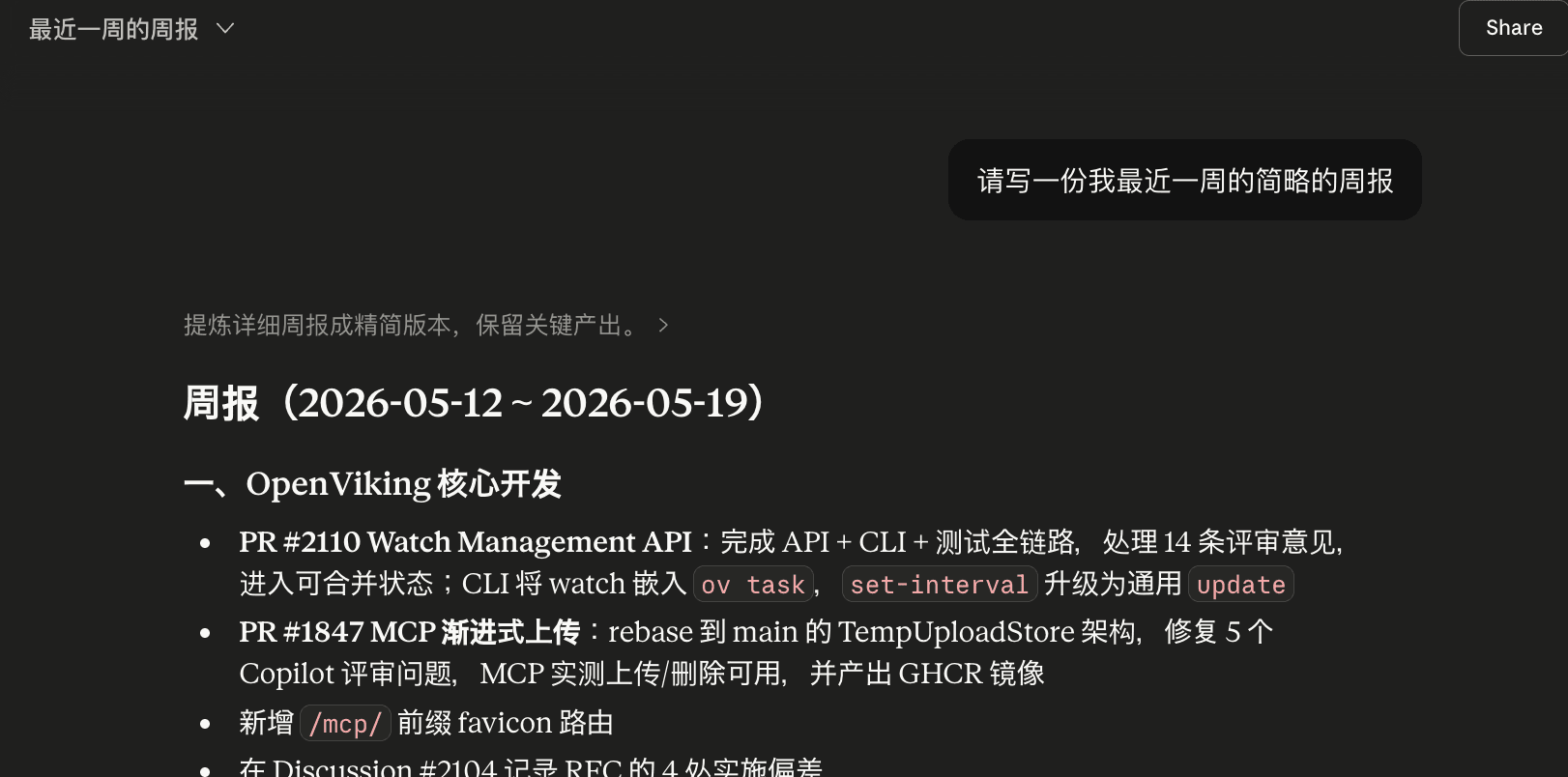
It goes further. Because OpenViking exposes a standard MCP endpoint, any MCP-capable client can connect. Hook the Claude chat app up to OpenViking and ask for a weekly report built from your recent sessions and memories:
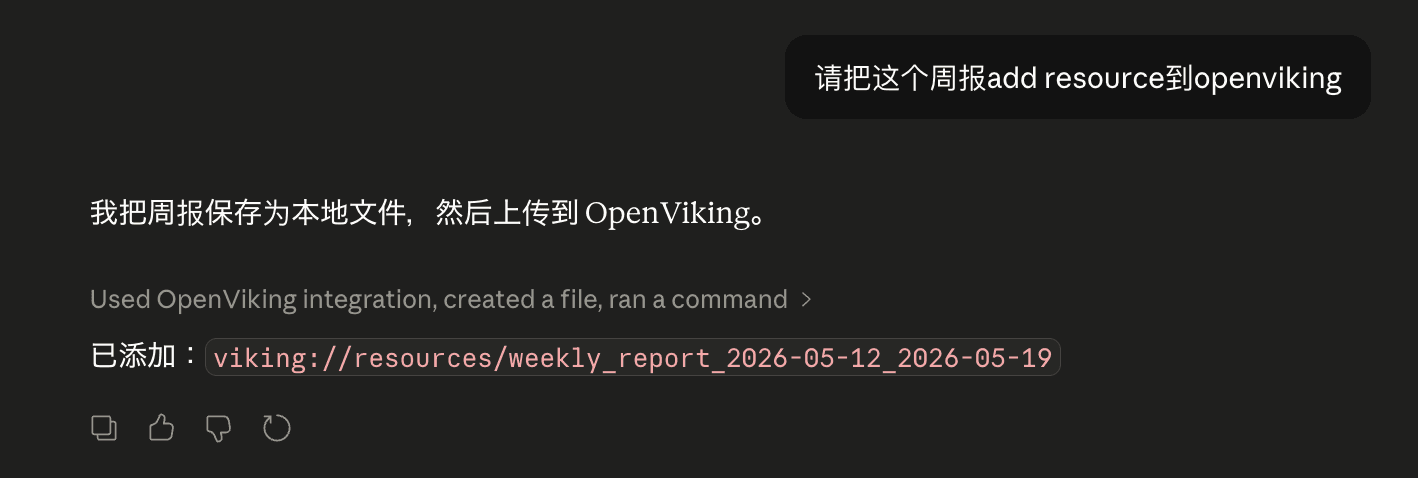
Once the report is final, you can upload it back to OpenViking as a resource. Next week, last week's report is searchable material too:
What travels is server-side context. Each host's process state, conversations not yet captured, and tool configuration stay where they are.
Claude Code vs Codex Plugin Differences
The two plugins share the same design and most of their code, but each adapts to what its host exposes:
| Feature | Claude Code | Codex |
|---|---|---|
| Registered hooks | 9 entries, including SessionEnd and the sub-agent lifecycle | 6: SessionStart, UserPromptSubmit, PreToolUse, Stop, PreCompact, SessionEnd |
| Session start | Inject profile, memory index, skills; archive overview on resume/compact | Same injection; on startup and clear, also sweeps and commits sessions left behind |
| Session end | SessionEnd commits through a background worker | SessionEnd on graceful exit (Codex 0.145+), with an end marker and a detached worker; otherwise the next startup sweep |
| MCP transport | Local stdio proxy to /mcp | Local stdio proxy to /mcp |
| Sub-agents | Each sub-agent gets its own session | No sub-agent hooks |
| Recall compression | auto: local claude -p when available; otherwise server compression | auto: local codex exec with a small model when available; otherwise server compression |
| Runtime | Node.js 18+ | Codex's bundled Node.js 22+ |
Advanced Tuning and Security
Plugin behavior can be tuned with environment variables, or set under the plugin section of ~/.openviking/ovcli.conf; environment variables win:
# Recall
export OPENVIKING_AUTO_RECALL=true            # false keeps capture and on-demand tools only
export OPENVIKING_SCORE_THRESHOLD=0.35        # results below this relevance are not injected
export OPENVIKING_RECALL_MAX_TOKENS=1600      # token budget for the server-assembled block
export OPENVIKING_RECALL_COMPRESS=auto        # off | client | server | auto
export OPENVIKING_RECALL_PEER_SCOPE=all       # actor: current project + user-level only

# Capture
export OPENVIKING_CAPTURE_MODE=semantic       # semantic (every turn) or keyword (trigger-based)
export OPENVIKING_CAPTURE_ASSISTANT_TURNS=true  # include replies and tool I/O
export OPENVIKING_COMMIT_TOKEN_THRESHOLD=20000  # commit when pending content passes this

# Debug and bypass
export OPENVIKING_DEBUG=true                  # logs: ~/.openviking/logs/cc-hooks.log
export OPENVIKING_BYPASS_SESSION_PATTERNS='/tmp/**,**/scratch/**'  # no memory reads/writes here
A repository can carry its own settings in .openviking/config.json, which the team commits, and .openviking/config.local.json, which stays private. The example below gives a directory that is not a Git repository its own project identity and limits recall to that project plus user-level memory. Connection fields such as url, api_key, account, and user are stripped from these files, so a committed config cannot redirect your credentials.
{
  "version": 1,
  "peer": { "id": "checkout-service" },
  "recall": { "peer_scope": "actor" },
  "bypass": { "session_patterns": ["**/fixtures/**"] }
}
Security by Design
- Credentials stay out of project config: the bundled stdio MCP proxy reads your API key at runtime from ovcli.conf or OPENVIKING_* variables, with no shell wrapper. The key is never written into .mcp.json, so it does not end up in the repository. It does live in ~/.openviking/ovcli.conf on your machine, so protect that file.
- Self-pollution prevention: before a turn is captured, the plugin strips <openviking-context>, <system-reminder>, <relevant-memories>, and [Subagent Context] blocks, so answers built from recalled memory are not stored back as new knowledge. This prevents the feedback loop; it does not stop a wrong statement in a reply from being extracted, so fix or forget bad memories when you see them.
- Filter before storing: capture filters are sed-style rules applied to every turn before it is sent. A rule like
s/\b(sk|ghp)_[A-Za-z0-9_-]+/[redacted]/gredacts tokens; bypass patterns keep throwaway directories out of memory entirely. - Sub-agent session isolation: each sub-agent writes to its own session derived from the parent's, and its captured messages carry the parent workspace's peer, so they stay in the right project without cluttering the main timeline. Separate sessions separate records; they are not separate users.
- One bot, many people: if one deployment serves several real people, use the actor recall scope with an explicit peer per person. Recall for one person then draws on that person's peer plus the shared user-level memory. A peer is a recall scope inside one user, not an authorization boundary: people who need permissions of their own should get separate user identities and keys, or the host service has to enforce access control.
Troubleshooting
Start with the bundled doctor. Ask Claude Code to check the plugin, which runs the ov-memory-doctor skill, or run the script directly. It checks the install, which config file won, the connection and auth, and recent hook activity, and prints a fix for each finding. /ov shows the server, identity, and last recall, and the status line under the input box reads OV ✓, ⚠ slow, ✗ offline, or ⚡ bypass.
# Claude Code
node "$(jq -r '.plugins["openviking-memory@openviking"][0].installPath' ~/.claude/plugins/installed_plugins.json)/scripts/ov-memory-doctor.mjs"

# Codex
node "$(ls -d ~/.codex/plugins/cache/openviking/openviking-memory/*/ | sort -V | tail -1)scripts/ov-memory-doctor.mjs"| Symptom | Where to look |
|---|---|
| Plugin does nothing | No ovcli.conf or ov.conf was found, so the plugin stays disabled. Create one, or set OPENVIKING_MEMORY_ENABLED=1 with URL and key variables. |
| Codex: MCP works, nothing is remembered | Hooks are untrusted or disabled. Check /hooks and /plugins. |
| Recall is always empty | Server down or wrong URL: curl <url>/health. Or the threshold filters everything out. |
| Commits happen, no memories appear | Read memory_diff.json in the archive; if extraction never ran, check the server's embedding and VLM config. |
| 401 / 403 | API key, account, or user mismatch; a root key cannot read tenant data. |
| Anything else | Set OPENVIKING_DEBUG=1 and read ~/.openviking/logs/cc-hooks.log. |
Why Not Just Use MEMORY.md?
The OpenViking plugin complements native memory; it does not replace it. Claude Code actually has two kinds of local memory, and they behave differently. CLAUDE.md holds instructions you write, and Codex's AGENTS.md plays the same role. Auto memory is notes Claude keeps on its own: a MEMORY.md index plus topic files, which Claude reads and writes during the session. The Claude Code memory docs describe both.
| Dimension | CLAUDE.md / AGENTS.md (instructions) | Claude Code auto memory | OpenViking Plugin |
|---|---|---|---|
| What it holds | Rules and conventions a person writes | Notes Claude takes: a MEMORY.md index plus one topic file per memory | A file tree on the server, a vector index, and typed memory files |
| How it is read | Loaded in full at session start | Only the beginning of MEMORY.md at session start; topic files read on demand | Searched by relevance every turn and injected within a token budget |
| Scope | Travels with the repository, or sits in your user directory | This machine; worktrees and subdirectories of one Git repository share it, other machines do not | Across projects, sessions, machines, and clients; project memory keyed by repository |
| How it is written | You edit it | Claude writes it during the session; you can edit it too | Extracted and merged by an LLM after each commit, or written on purpose with remember |
| Auditing | Reviewed like code | Plain local files you can open and edit | memory_diff.json records every commit's changes |
Keep using CLAUDE.md or AGENTS.md for rules the project must follow: they are simple, reviewable, and travel with the repository. Auto memory is good at notes that stay on one machine and one repository. For experience that grows with time and has to carry across machines, clients, and projects, such as "how did I get around that intermittent crash last Tuesday?" or "how do I usually wrap Axios?", let OpenViking do the bookkeeping.
Conclusion
With OpenViking, your coding agent stops being a stateless tool that forgets everything when the window closes, and becomes a pair programmer that learns your habits and accumulates your experience:
- Auto-Accumulate: debugging sessions and decisions are captured and distilled after each commit, with no manual upkeep.
- Recall on Demand: relevant history appears in context when the task calls for it, without a warm-up briefing.
- Cross-Platform: on one server and one identity, Claude Code, Codex, and any MCP client share the same memory.
- Continuous Evolution: new conversations merge into and correct old memories, and memory_diff.json records each change.
If you are tired of re-onboarding your AI assistant every time you open a new terminal, give OpenViking a try.