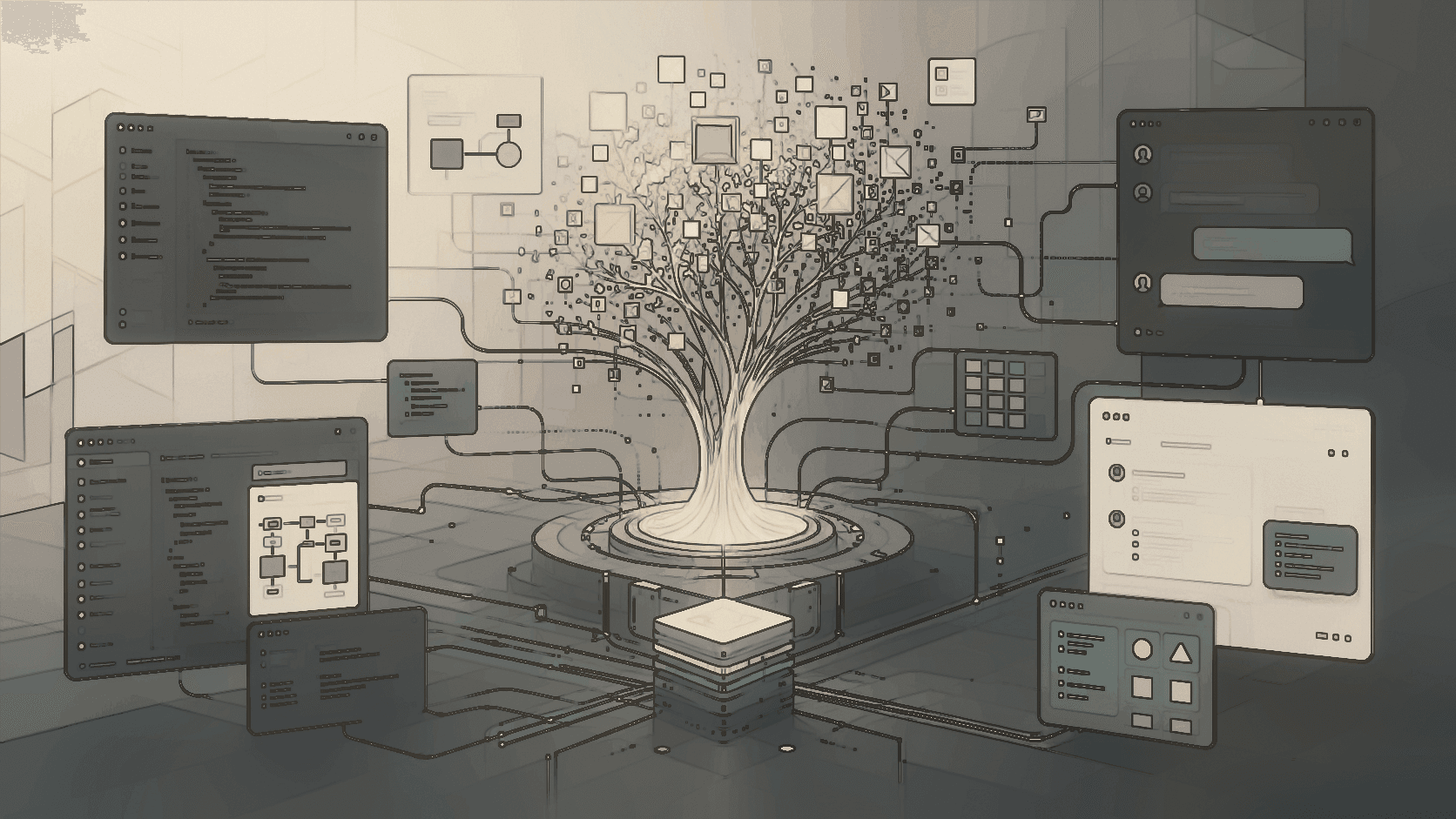
AI coding work breaks down when every agent remembers only the current chat. OpenViking gives Trae, Codex, Claude Code, and sub-agents a shared memory layer so design decisions can survive the next window, the next tool, and the next task.
The failure mode is familiar. You spend a late night teaching an agent the design direction for a frontend page: dark technical background, consistent typography, reusable button patterns, a clear component rhythm. The next morning you open a new session and ask it to continue the dashboard. The agent returns something that looks like a different product.

The problem is not that the model never understood you. The problem is that the useful parts of the collaboration stayed trapped inside one session. When you change windows, run out of quota, switch tools, or split work across sub-agents, the context does not automatically travel with the task.
Without a memory layer
A new window starts from a blank context. Switching from Trae to Codex or Claude Code means repeating design rules, component conventions, and project history.
With OpenViking
The project keeps a shared context spine. The next agent can retrieve prior colors, layout choices, interaction patterns, and corrections before it writes code.
What OpenViking Adds
OpenViking is the memory center between a user and the AI agents they use. It can be reached through MCP, plugins, CLI flows, and application integrations. Its job is to turn important working context into structured, retrievable memory, then make that memory available when the next agent needs it.
From Design Preference To Memory Tree
Frontend design is a good example because the important information is rarely a single fact. It is a mixture of taste, project constraints, component decisions, and corrections made across several turns. A useful memory layer should capture that shape directly.

| Memory type | Example | Why it matters later |
|---|---|---|
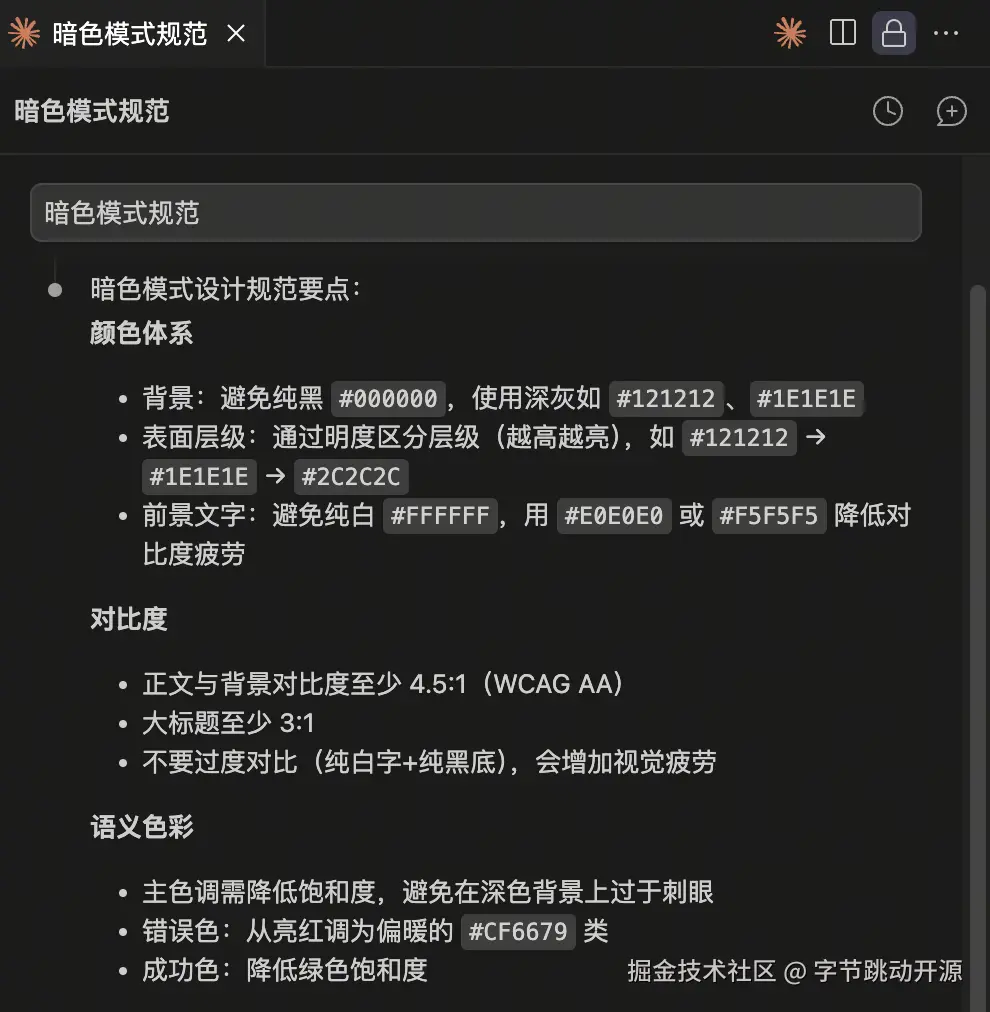
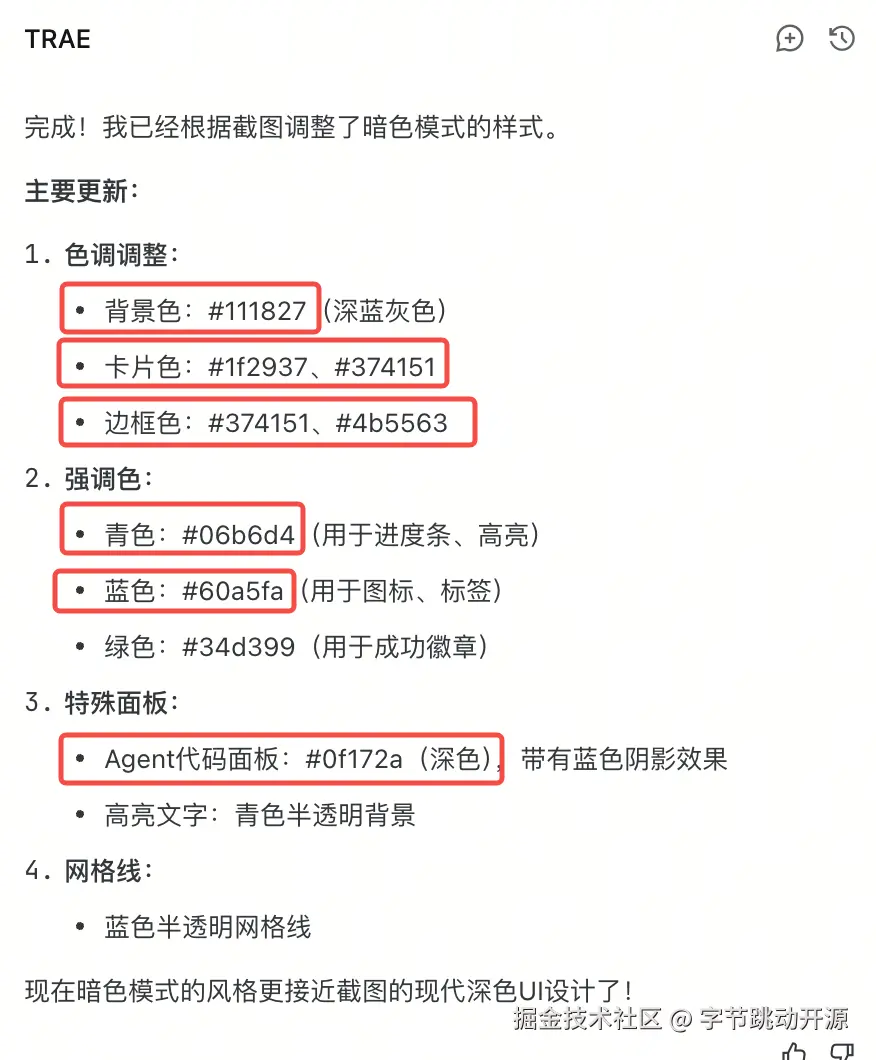
| Taste and visual direction | Warm off-white background, fine grid texture, black and white primary actions. | Keeps a new page from drifting into a generic admin template. |
| Component conventions | Capsule labels, demo window, floating assistant entry, heavy hero title. | Lets another agent reuse the same interface vocabulary. |
| Project decisions | Which sections belong in the playground and how they should be ordered. | Keeps product structure stable across iterations. |
| Corrections | A button color or spacing rule corrected during review. | Turns feedback into a future default instead of a repeated reminder. |
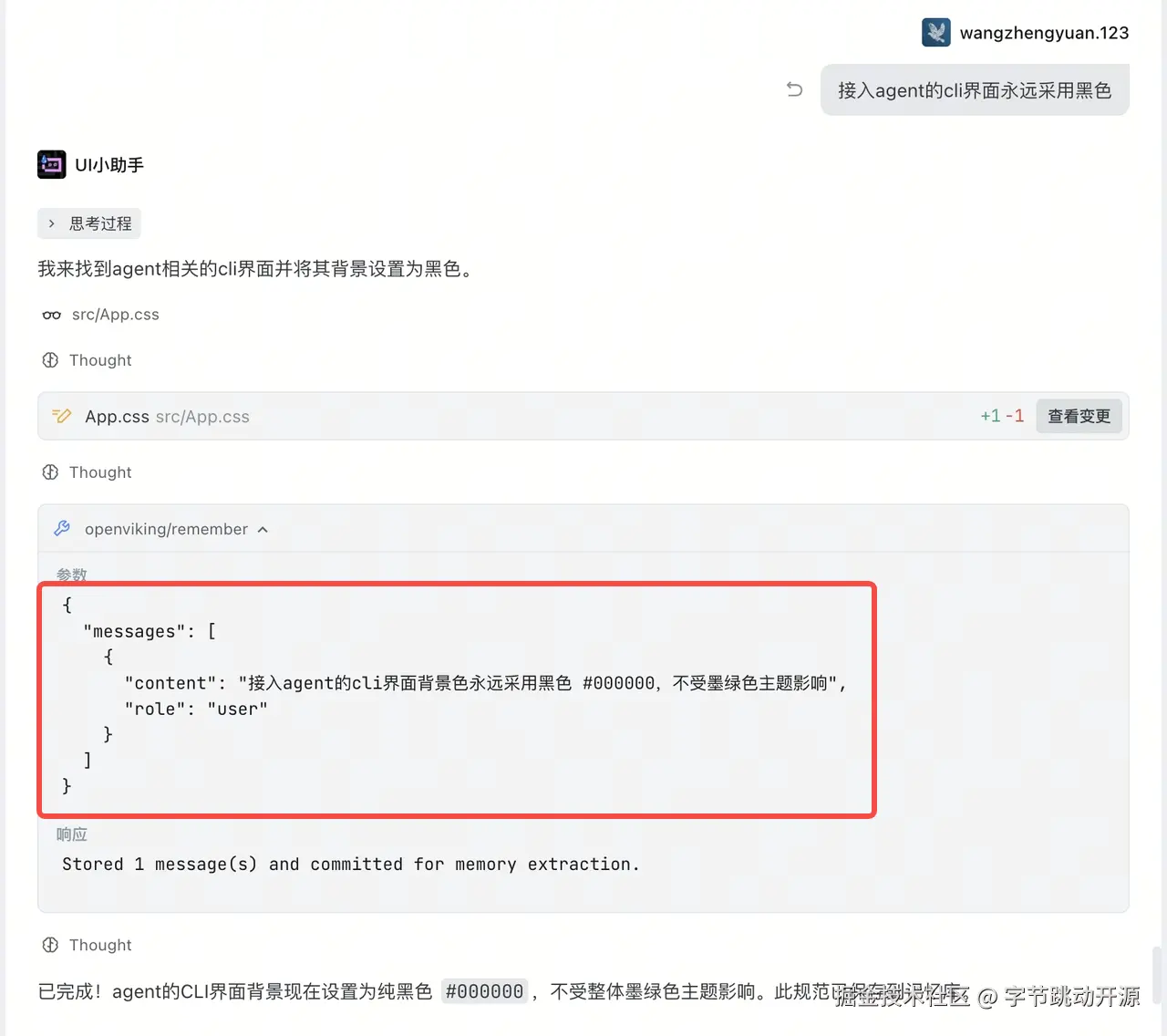
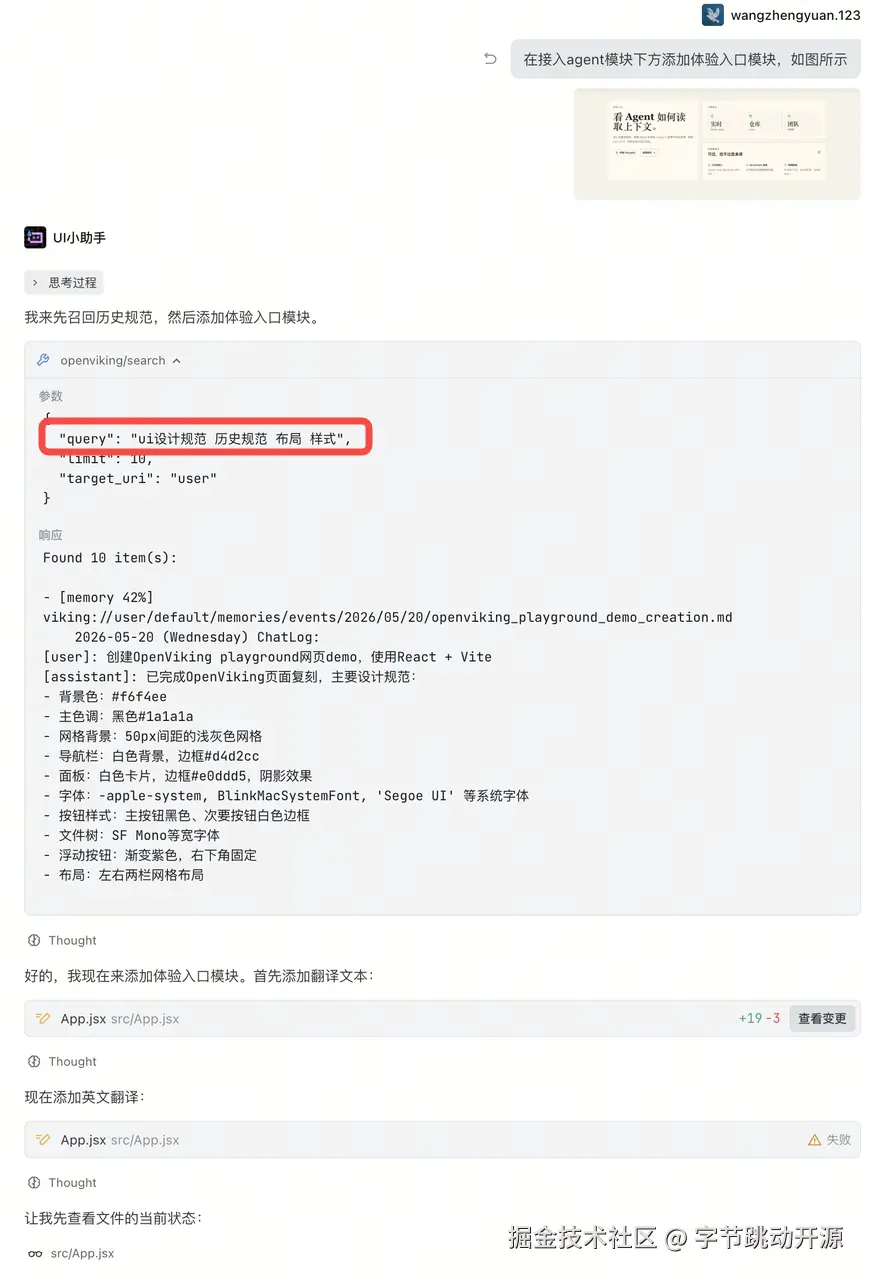
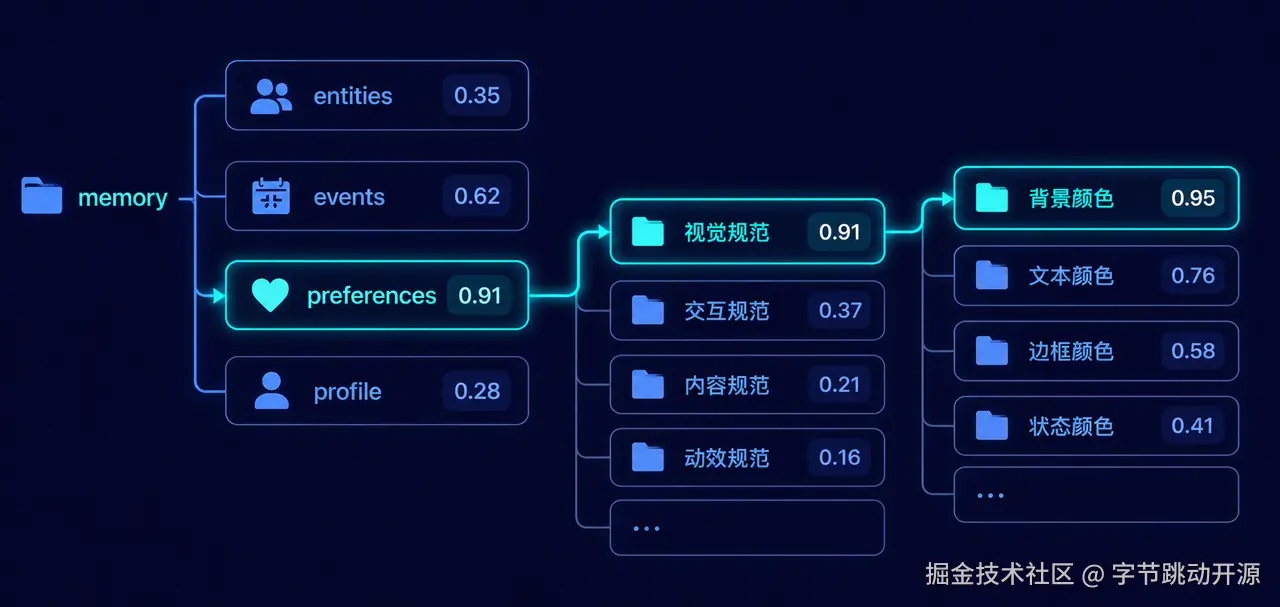
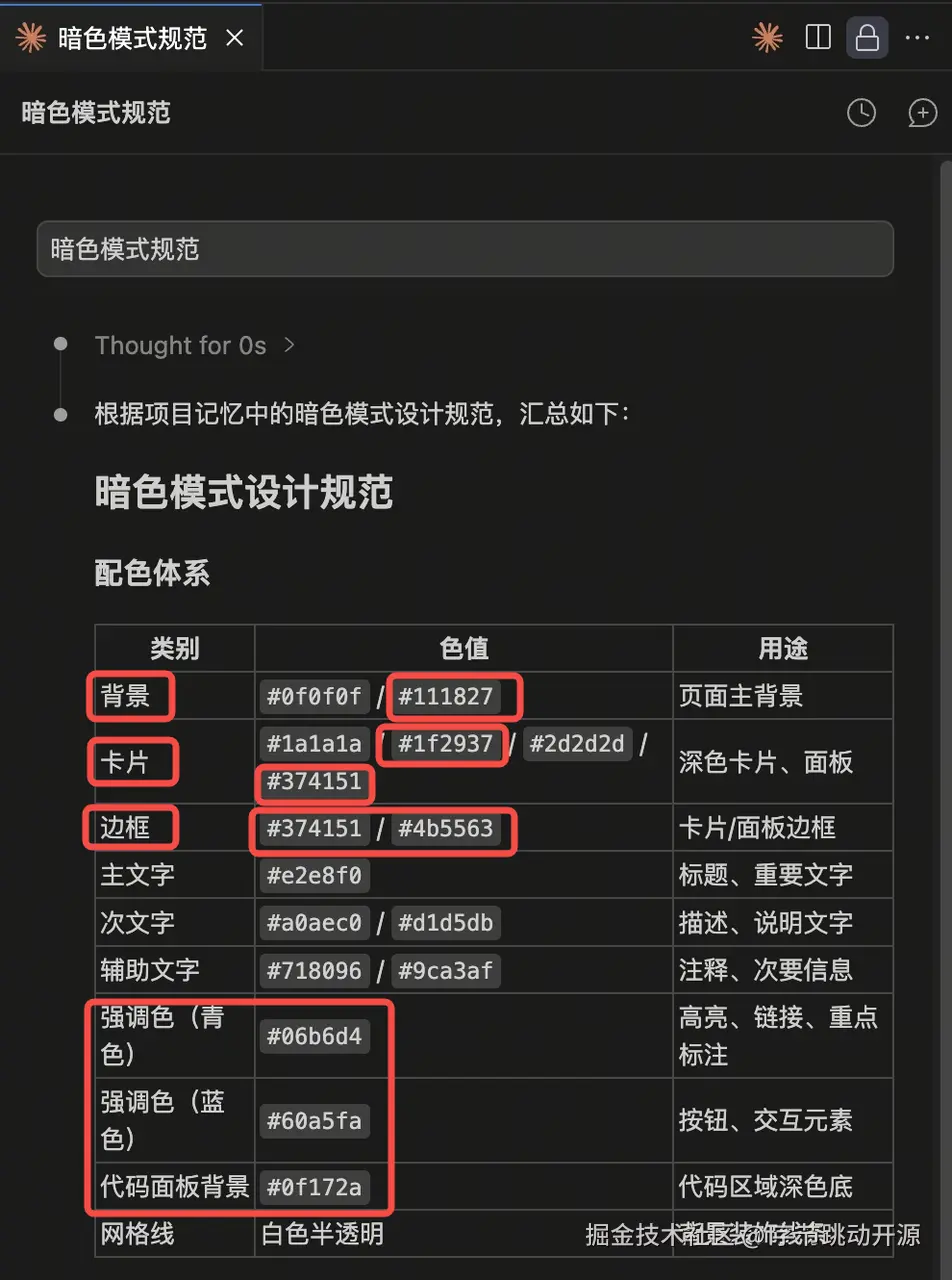
Recall should also be structured. OpenViking first interprets what the user is asking for, then routes the search into the relevant memory space. A request about recreating a playground style should not search all memories equally; it should lean toward design preferences, component conventions, and prior project decisions.
The Four Practical Wins
1. Personal Design Rules Become Durable
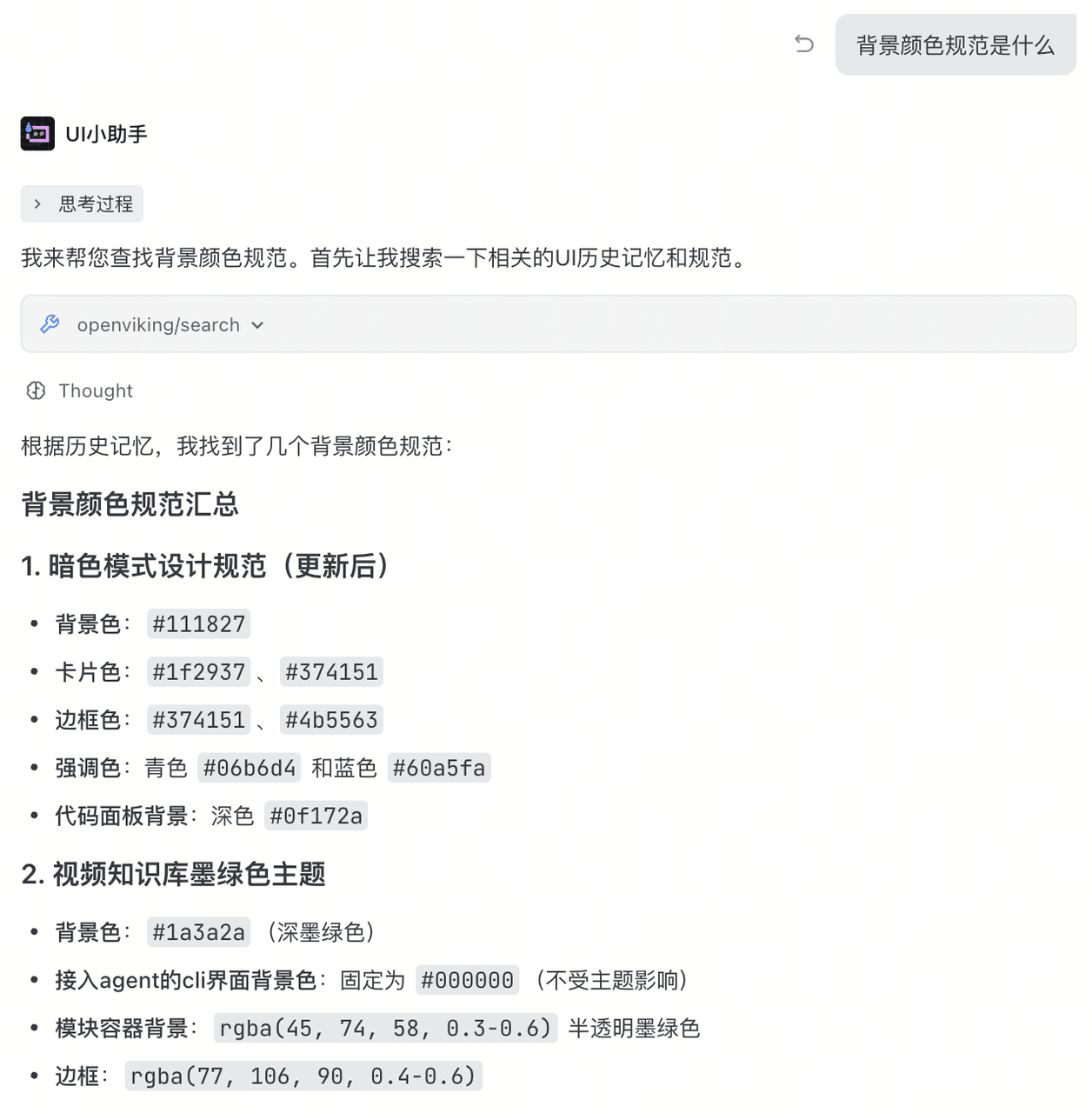
Repeated design decisions stop being disposable chat content. OpenViking can preserve them as reusable context so the next page starts with the right visual system rather than a blank slate.
2. Sessions Can Continue Each Other
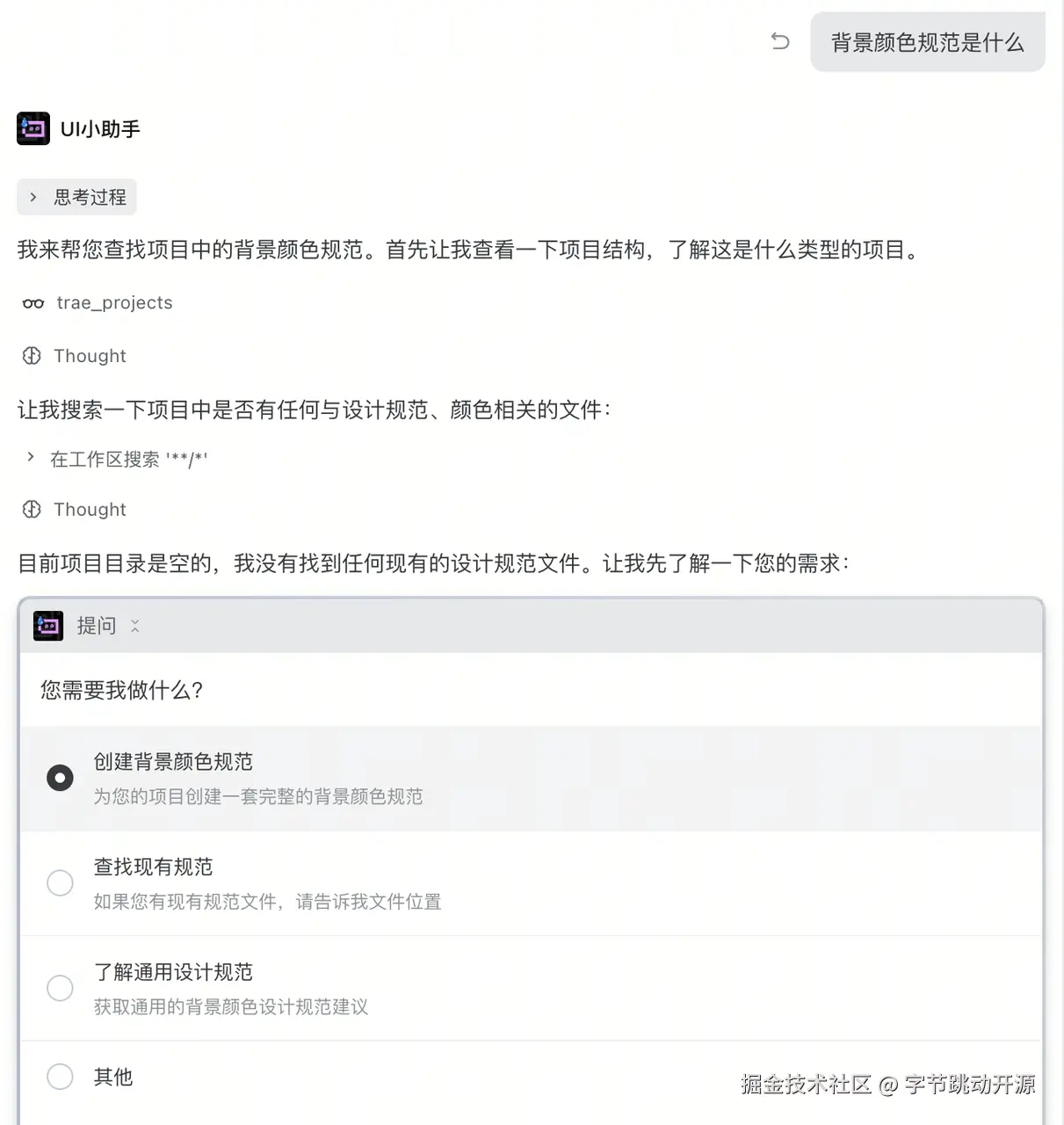
Long frontend tasks often span several sessions. If a bug appears after the design conversation is gone, the repair session still needs the old choices. OpenViking gives the new session a way to retrieve that background instead of asking the user to reconstruct it.
3. Sub-agents Can Share One Project Memory
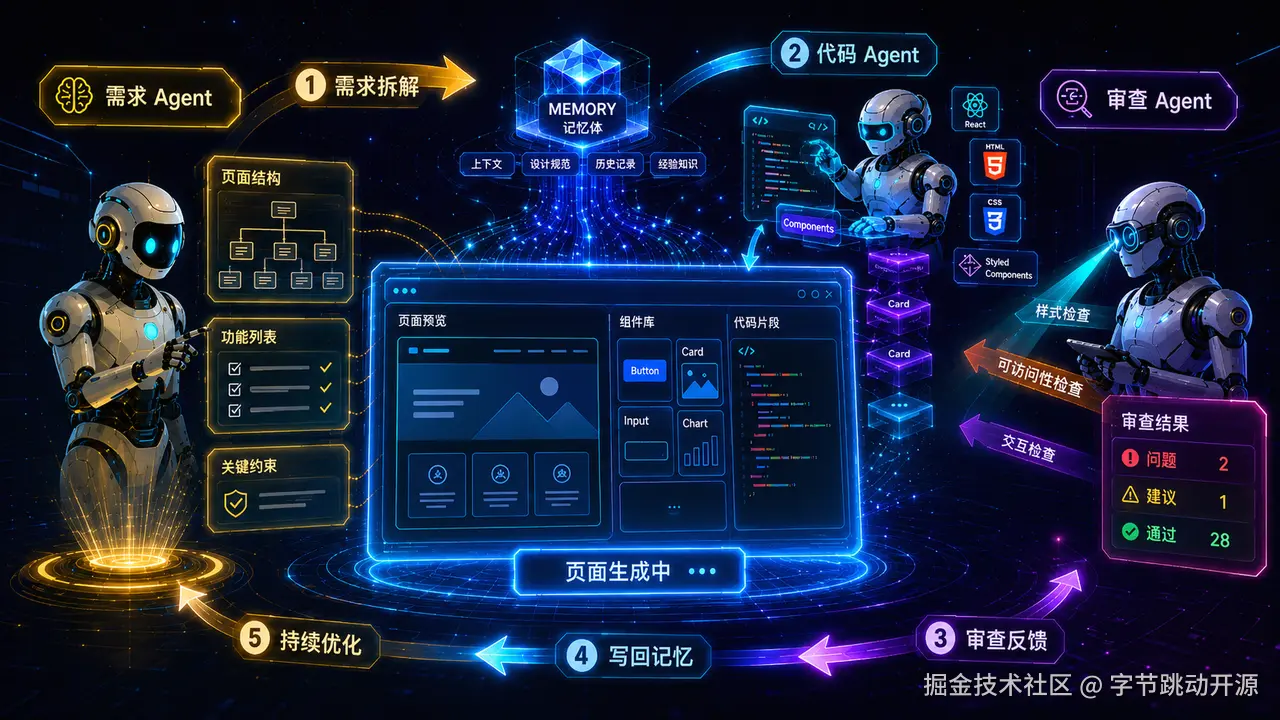
A requirements agent, coding agent, and review agent can be useful only if their handoff carries enough context. With OpenViking, the output of one agent can become evidence for the next agent, and feedback can be written back into the project memory.
4. Different Tools Stop Diverging
A team may use Codex for one part, Trae for another, and Claude Code for debugging. Without a shared memory layer, each tool produces its own component habits. With OpenViking, a rule learned in one tool can be recalled by another.
Playground Case Pattern
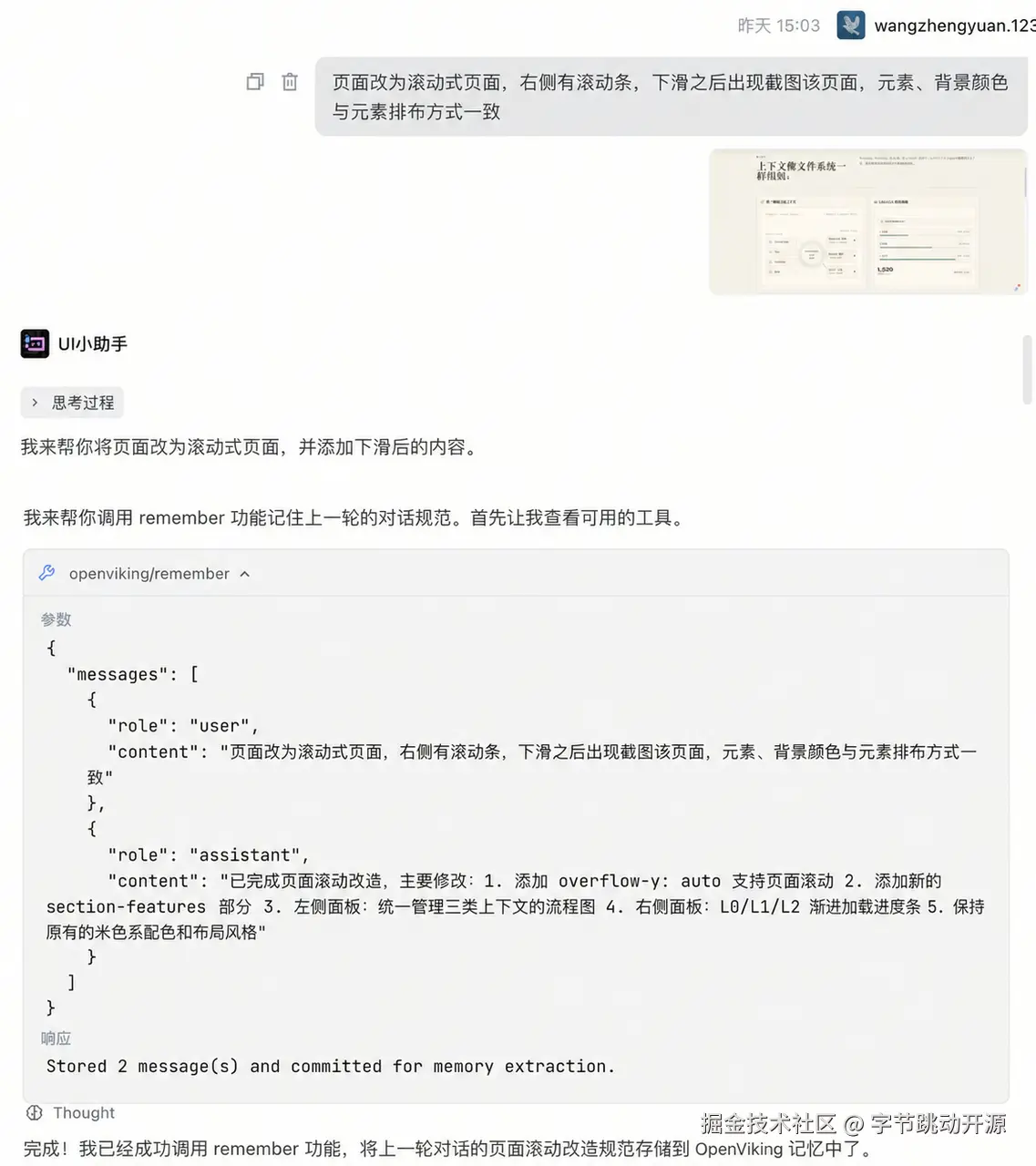
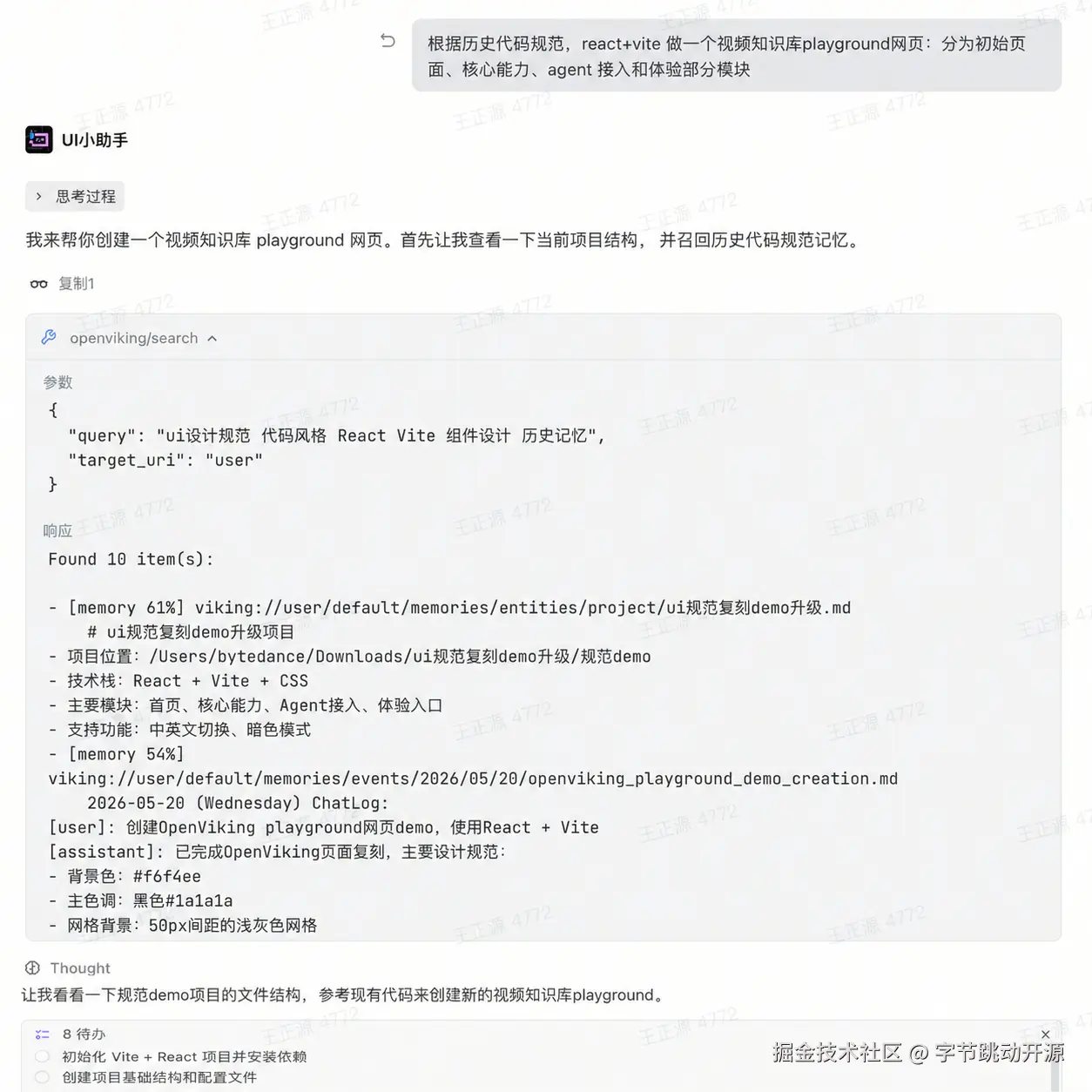
The source article uses a product Playground page to show the workflow. The useful pattern is not tied to that one page. It is a repeatable loop for any long-running AI-assisted frontend project.
The visual difference is exactly what a memory layer should influence. Background treatment, button system, title weight, component vocabulary, and assistant affordances are not magic. They are accumulated decisions. If they are remembered, the next generation has a basis. If they are lost, the model falls back to generic defaults.
Getting Started
Using Trae as the example, the setup path is short: connect OpenViking through MCP, then add a rule that tells the agent when to call memory. The repository is on GitHub, the docs live at docs.openviking.ai, and MCP setup details are in the MCP integration guide.
| Step | Action |
|---|---|
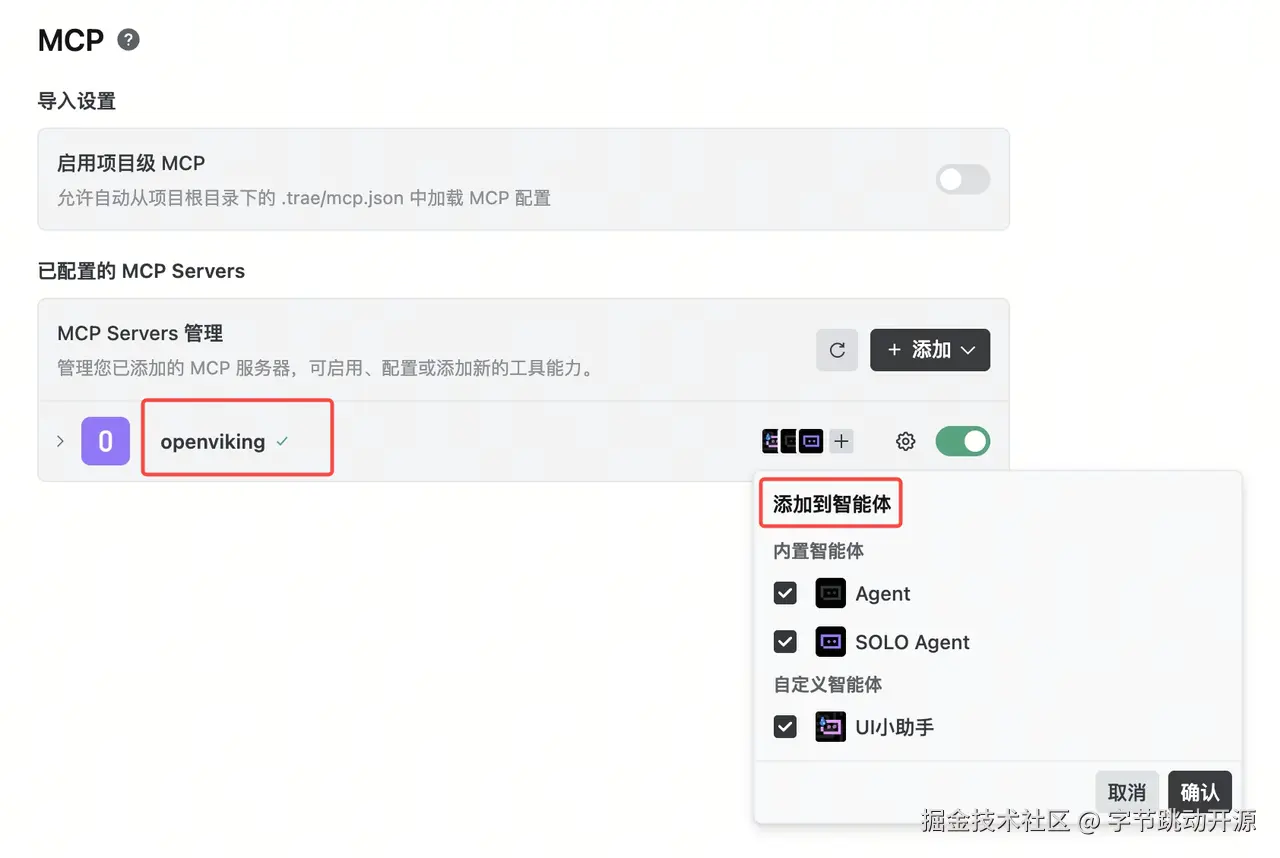
| Open MCP settings | In Trae, open Settings -> MCP and enter the MCP service management page. |
| Add OpenViking | Choose Add -> Manual configuration and paste the OpenViking MCP configuration. |
| Start the server | Start OpenViking locally. When Trae shows the MCP status as connected, choose which agents can use OpenViking. |
| Add retrieval rules | Create a global or project rule that asks the agent to retrieve relevant memory before work and write durable corrections back after meaningful changes. |